
Red Flag Alert — Credit Check & Find Leads
v1.58
Connect your Zoho CRM to live Red Flag Alert data to enrich and credit check accounts, find new leads, build corporate structures and more.
APP INSTALLATION
Click this link to install App.
APP ACCESS
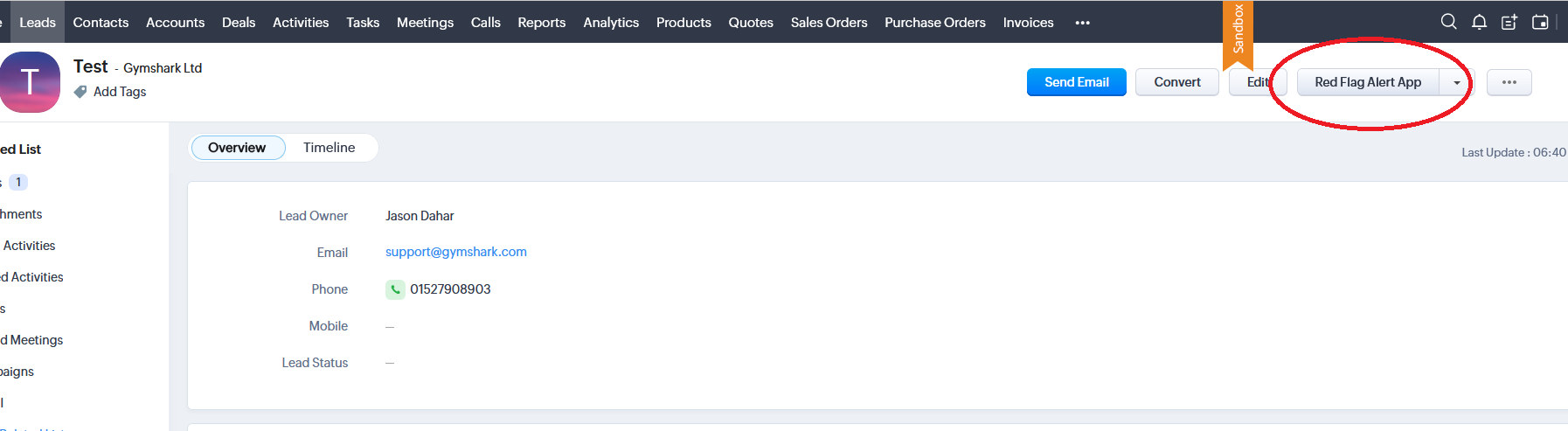
Click the Lead/Contact or Account record and click “Red Flag Alert App” button.
APP AUTOMATION
Monthly credit check/enrichment of account records.
If an account record has previously been credit checked/enriched, then our App will automatically refresh it on a monthly basis, an update email is sent to the record owner.
No credits are used for this automation.
APP SETTINGS
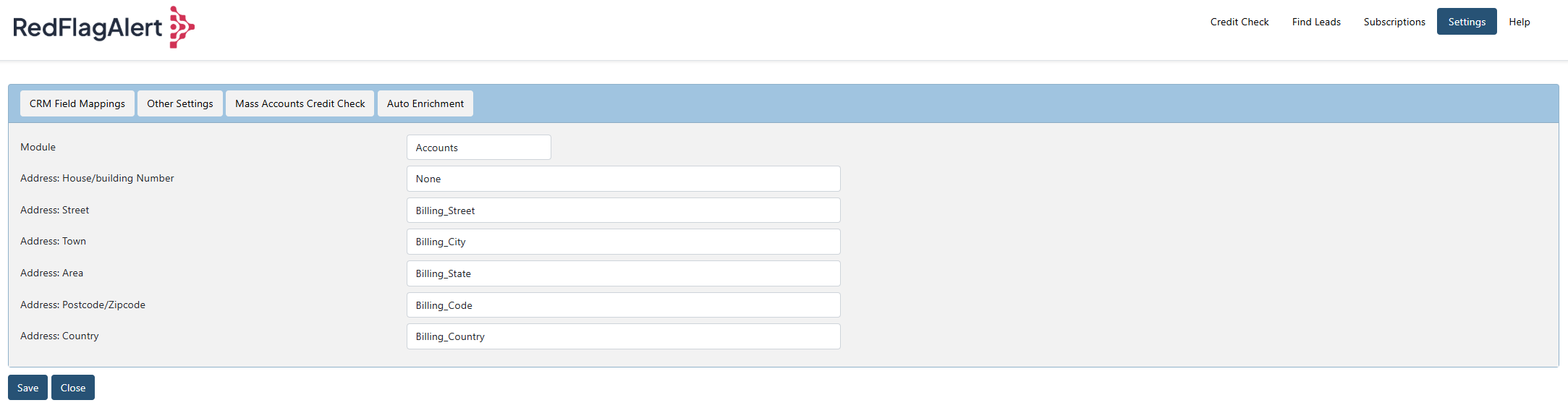
CRM FIELD MAPPINGS
If you have cusom fields for addresses, you can map these fields for Leads, Contacts and Accounts.
OTHER SETTINGS
Update Account: Account Name
If this is set to “ON”, (by default its ON), when you perform a credit check the Account name will be updated with the company name from Red Flag Alert.
Update Leads: Red Flag Alert Other Contacts
Update field “Red Flag Alert Other Contacts” with all contacts found for the company.
Generate Leads: Check Lead exists in accounts.
Do not create lead record if it exists in the account module (i.e., searches by company number)
On Create Account: Auto generate contacts.
When an account record is created, create contact records for the company.
GAZETTE NOTIFICATIONS
Every day we will check all your accounts against The Gazette – Official Public record for all notifications, if any are found, you will receive an email.
MASS ACCOUNTS CREDIT CHECK
Allows you to mass credit check all your account records that have a company number.
AUTO ENRICHMENT
Auto enrichment of lead records with Red Flag Alert Data. When you create or import records into your CRM with valid company numbers, the records will automatically be updated with Red Flag Alert Data.
CREDITS: Each organisation enrichment will be one credit, if you have no credits, no enrichment will be done.
Auto Enrichment: Leads (Default Off)
CREDIT CHECK
Update a lead or account with Red Flag Alert data.
Button: Search by company name - Search by company name, company number or postcode.
Button: Search – Performs the search.
Button: Credit Check Refresh - Updates all Red Flag Alert data for the record.
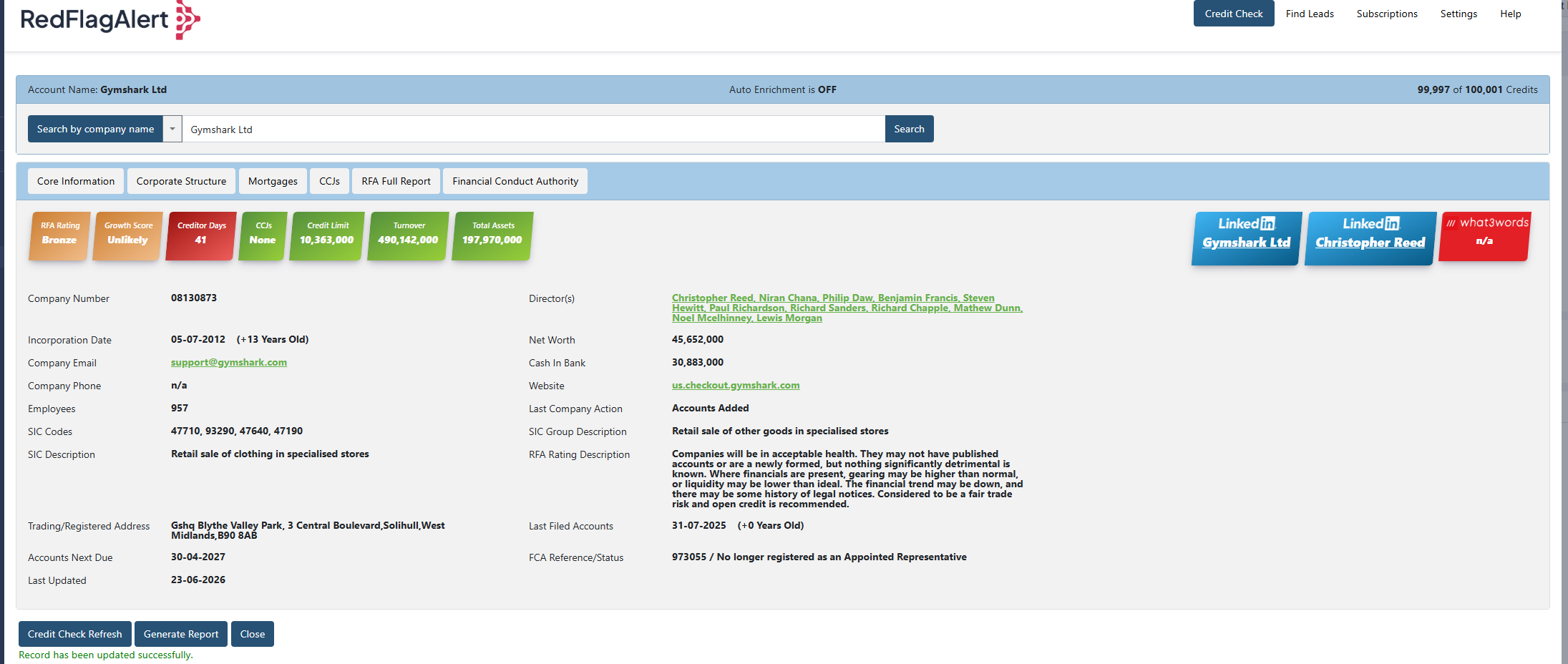
Credit Check – Search results screen.
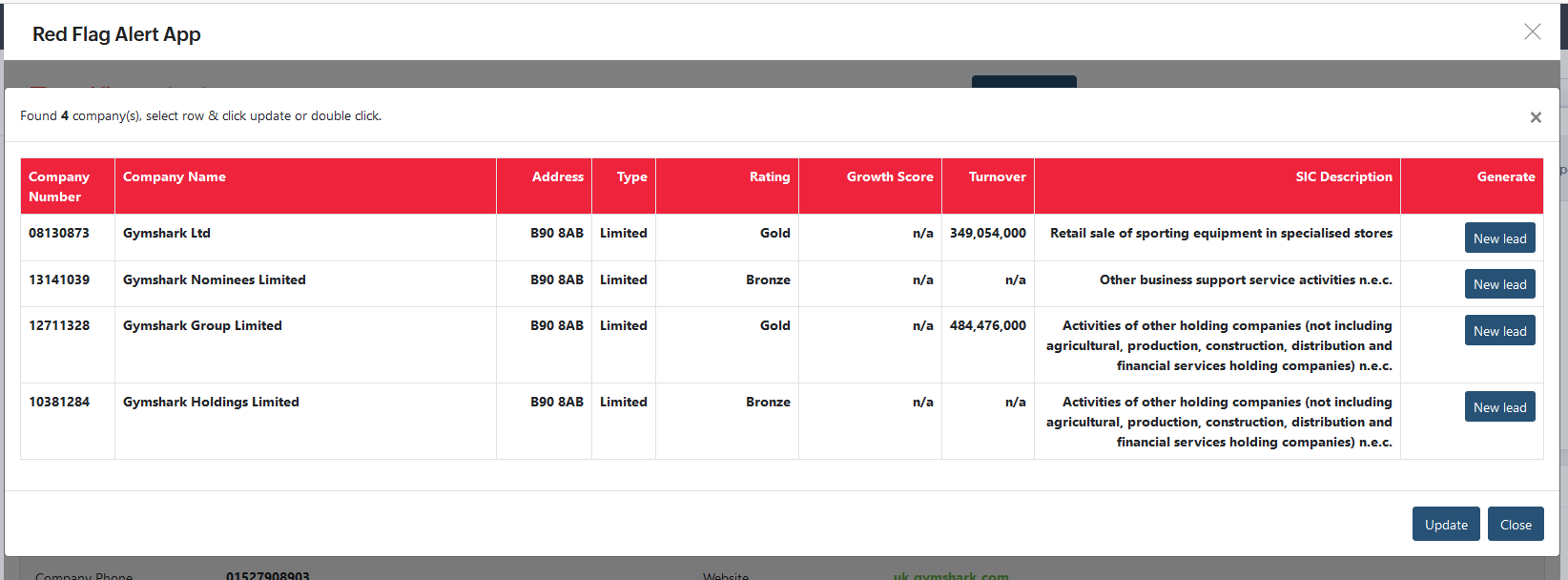
Button: New Lead – Create a NEW lead record for the company.
Button: Update – Update current lead with Red Flag Alert data.
CORPORATE STRUCTURE
Displays the full corporate hierarchy related to the current company record, including parent and subsidiary companies.
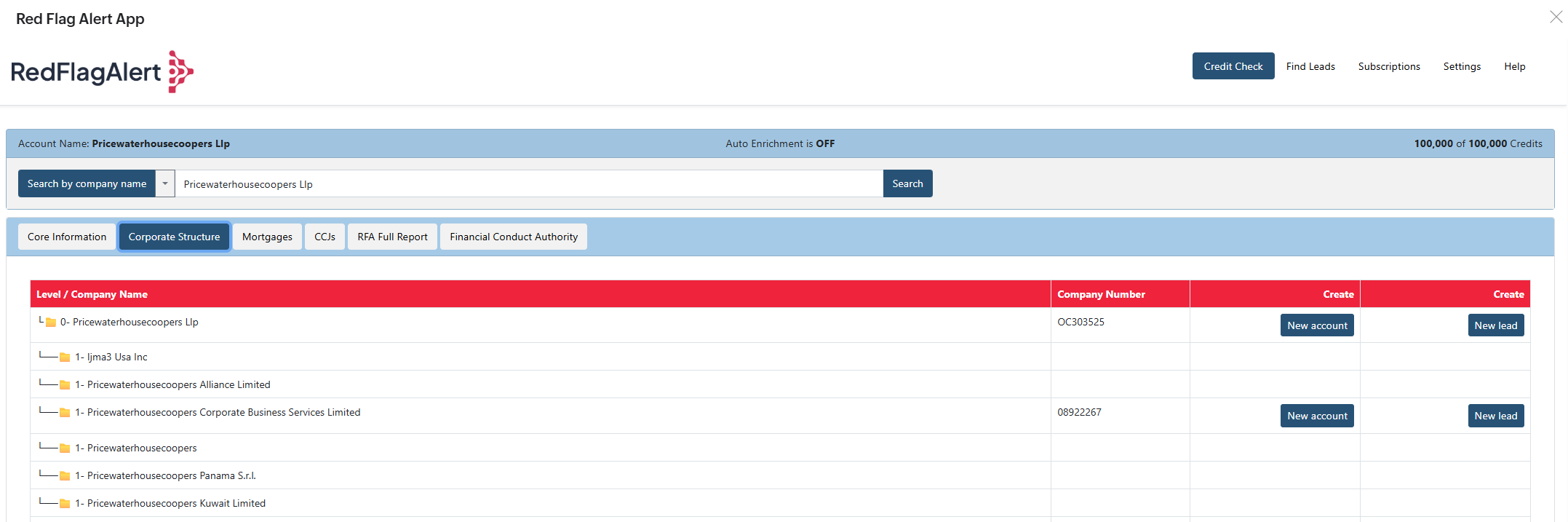
Button: New Account
Creates a new account record for the selected company in the table.If a company already exists with the same company number, no new record will be created.
Button: New Lead
Creates a new lead record for the selected company in the table.If a company already exists with the same company number, no new record will be created.
FIND CONTACTS
Enrich the current lead with contact data or create new lead records.
Button: Search by website/Email – search by website or email domain.
Button: Search - Search for contacts using the domain name.
Button: Save – Save data for current lead record.
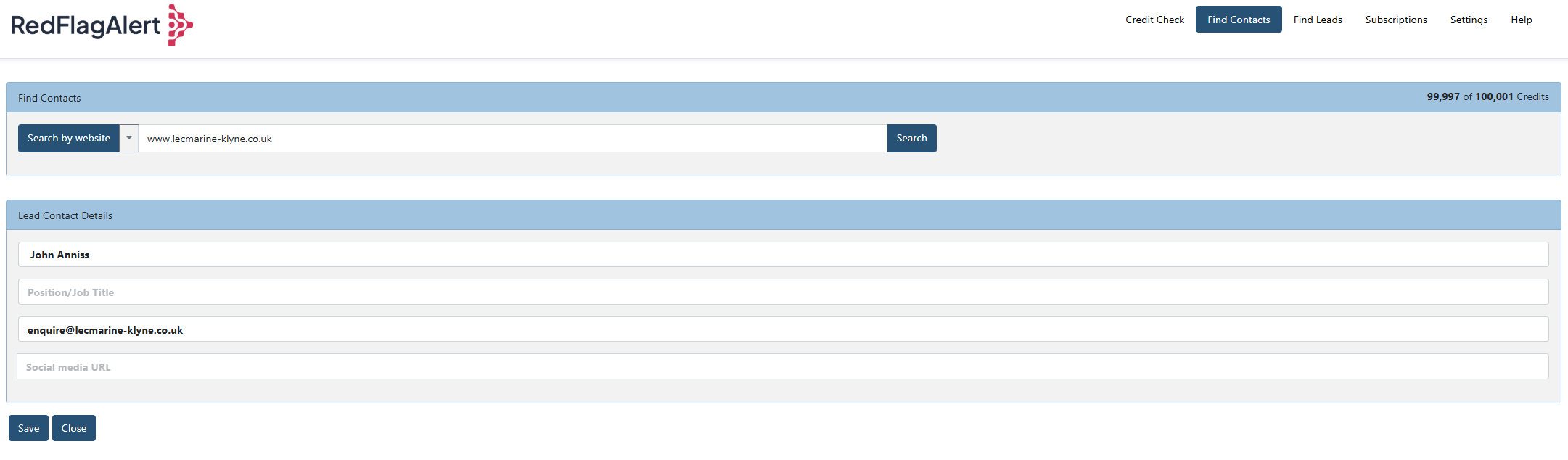
Find Contacts – Search results screen.
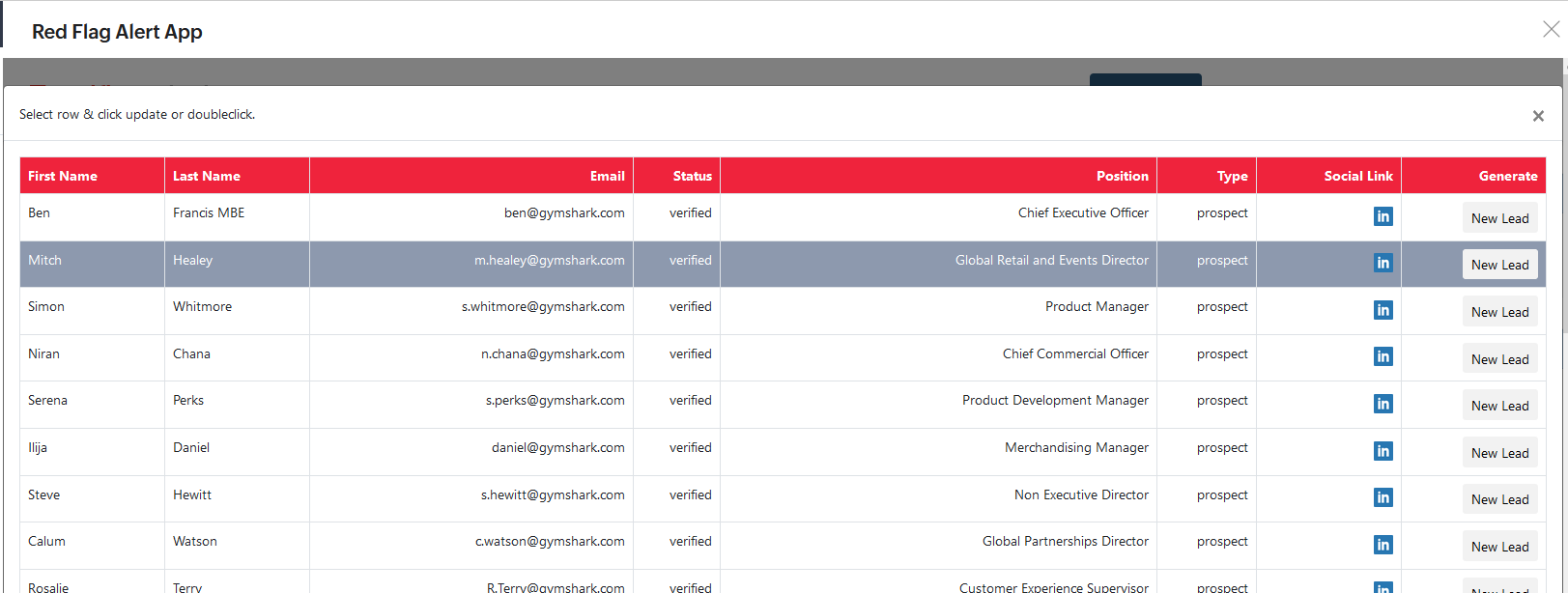
Button: New Lead – Create a new lead record for the selected contact.
FIND LEADS
Create new lead records, with the option to create additional lead records for each contact found for each company.
Field: New record owner - The user can assign the new lead records to another user within their CRM. Default to current user.
Field: Create Director contacts - If this option is ON, new lead records will be created for each director.
Find Leads: Search Criteria
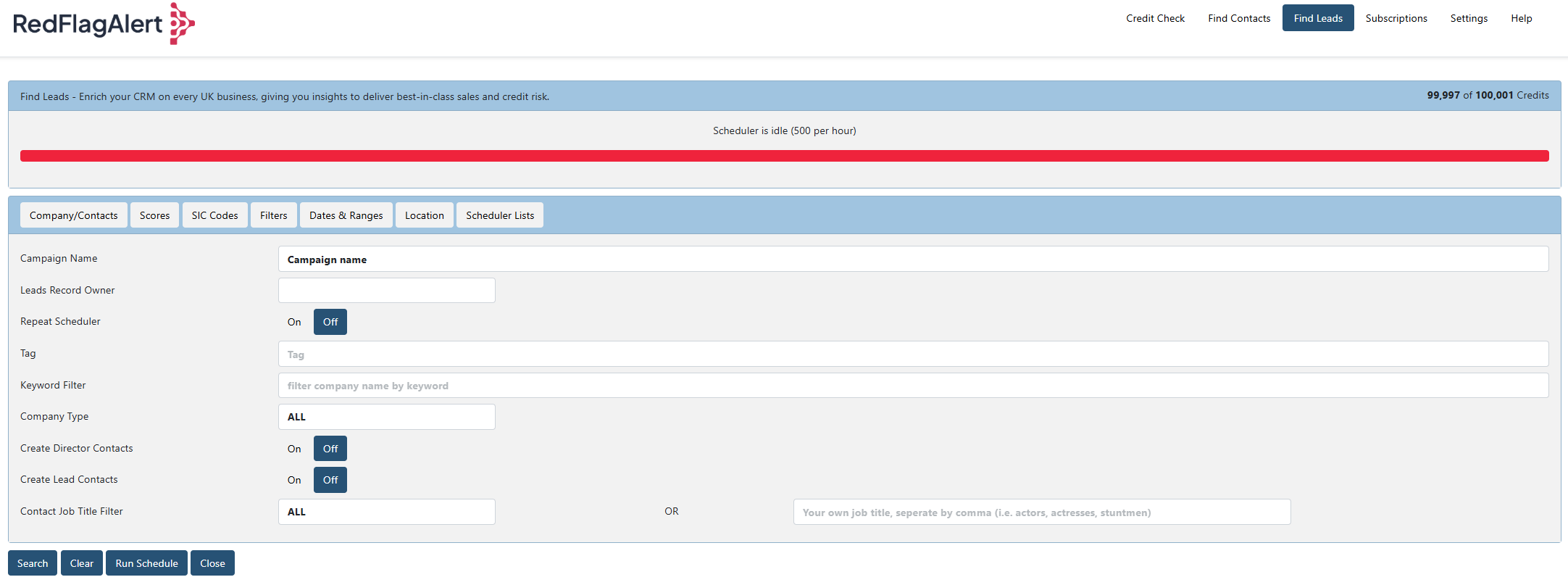
Find Leads: Search Criteria – Results
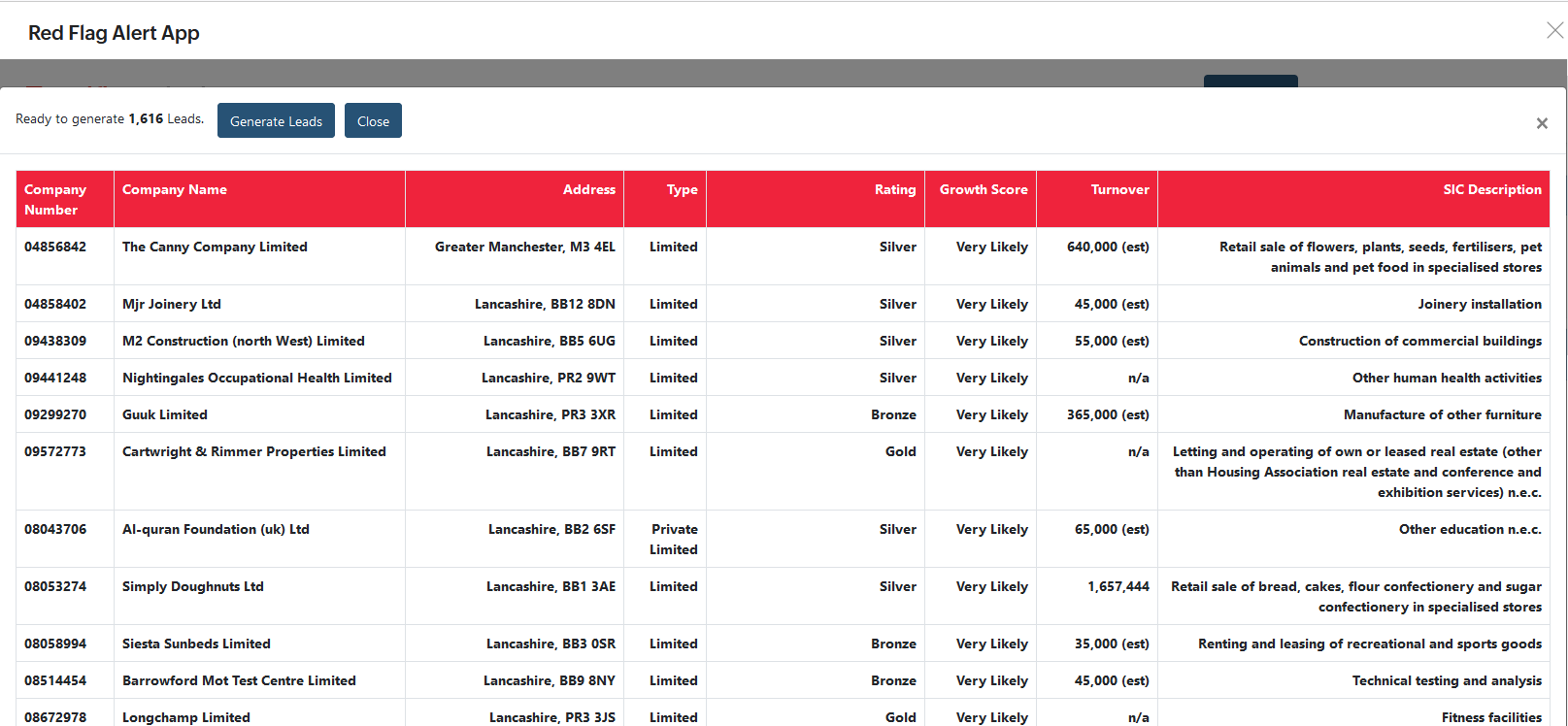
Button: Generate Leads – Create new schedule record, which creates the lead records.
Scheduler List - Displays all the find lead campaigns you have created.
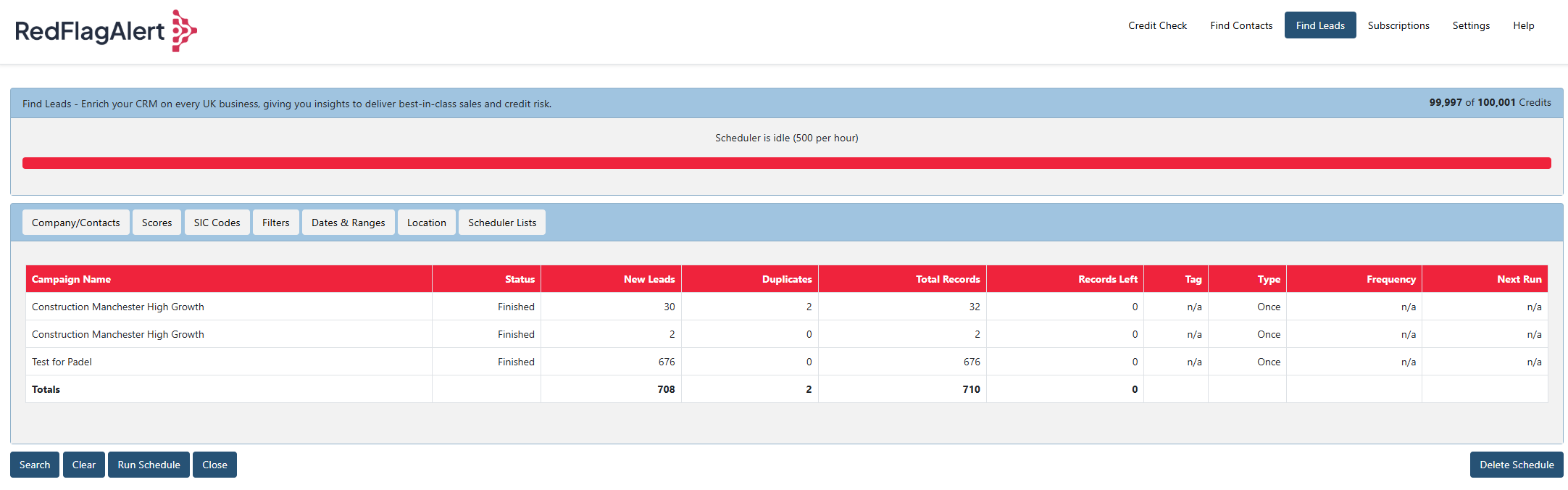
Button: Run Schedule – Allows you to force run a waiting schedule.
CUSTOM FIELDS CREATED BY APP

Zoho App
Before you install
Have you read the user guide and installation instructions for this app?
Please make sure you've reviewed them before installing.