
Red Flag Alert — Credit Check & Find Leads
v1.20
Connect your Pipedrive CRM to live Red Flag Alert data to enrich and credit check organisations, and find and create new B2B leads.
HOW TO INSTALL APP
To install the app, follow these simple steps:
1. Log in to your Pipedrive account.
2. Navigate to the "Marketplace" within Pipedrive.
3. Search for "Red Flag Alert" in the marketplace.
4. Click on the app and proceed to install it.
OR CLICK HERE
HOW TO ACCESS THE APP
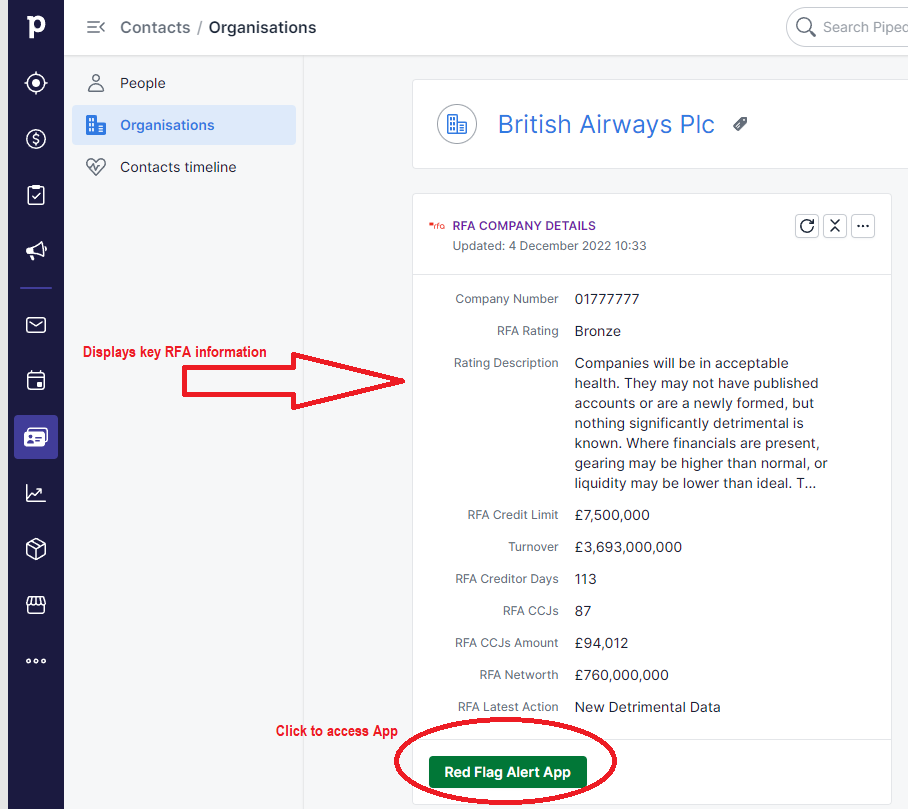
To access the "Red Flag Alert App" for an organisation record, please follow these steps:
1. Log in to your Pipedrive account.
2. Navigate to the organisation record you want to work with.
3. Within the organisation record, look for a button or option labelled "Red Flag Alert App."
4. Click on this button to access the Red Flag Alert App's features and functionality specific to that organisation record.
FIELD MAPPING
Pipedrive Essential Plan: This plan permits only up to 30 custom fields for organisations.
Pipedrive Advanced Plan and Above: These higher-tier plans offer the flexibility to utilise 100+ custom fields.
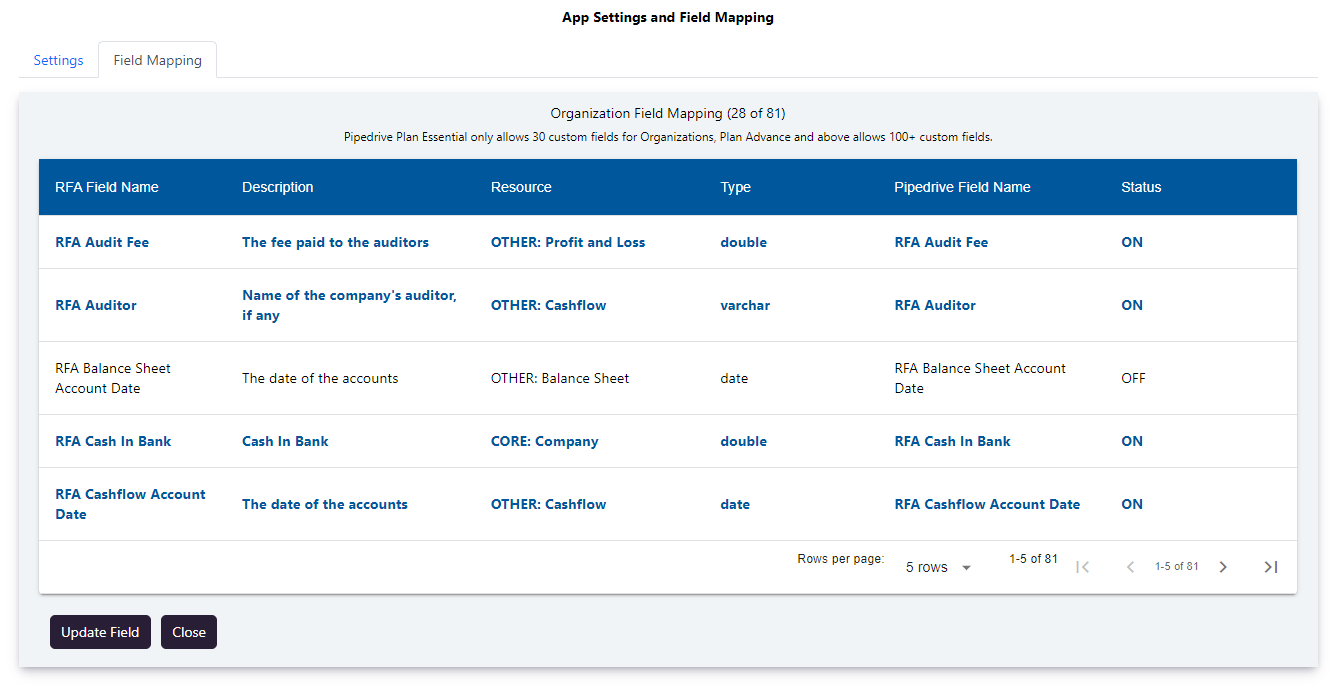
Button: Update Field
When a field is turned off, it means that updates or changes to that field will not be processed or recorded.
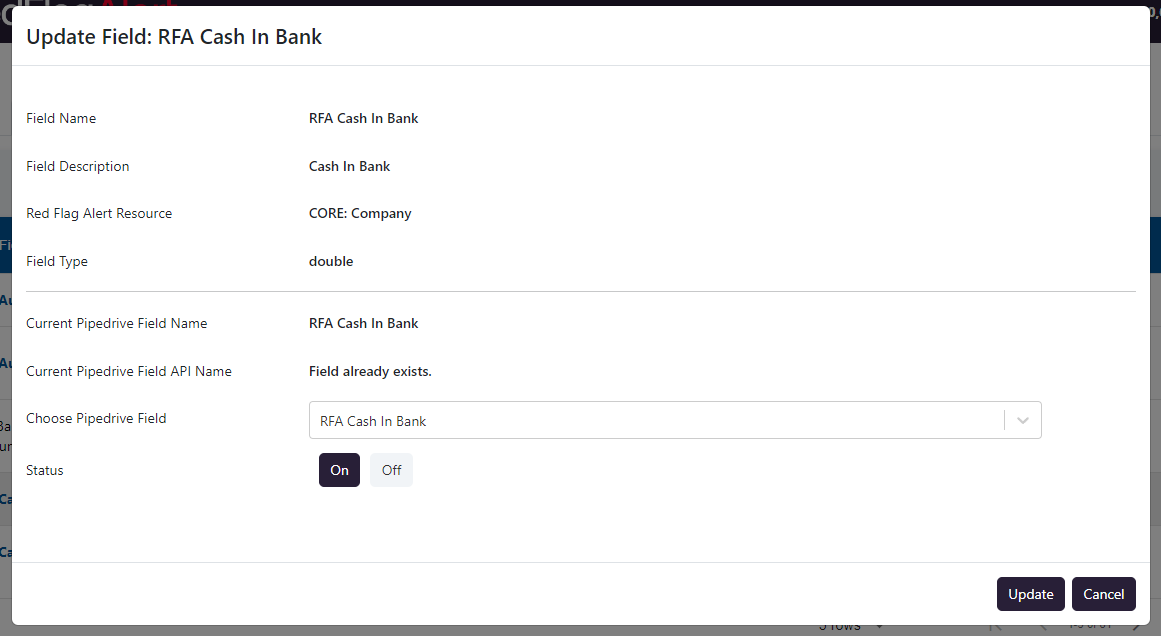
You have the option to either establish a new custom field or associate it with an existing one.
Button: Update
You can create a new field if it doesn't already exist and toggle the field's activation status on or off."
SETTINGS
Option: Update Organisation Name
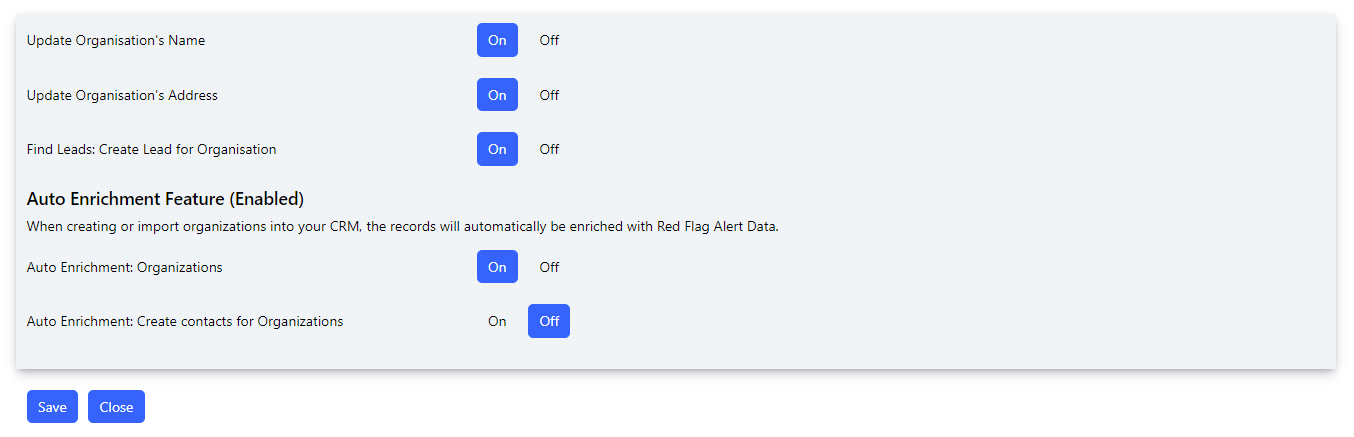
By default, this option is set to "ON." When enabled, performing a credit check will overwrite the organisation's name.
Option: Update Organisation Address
By default, this option is set to "ON." When enabled, performing a credit check will overwrite the organisation's address.
Option: Leads - Automatically Create Lead for Organisations
This option allows for the automatic generation of a Lead record for every newly created Organisation.
AUTO ENRICHMENT FEATURE
Automatically enhance organisation records with Red Flag Alert Data.
HOW IT FUNCTIONS
When you create or import records into your CRM with valid company numbers, the records will receive automatic updates with Red Flag Alert Data. If the "Create contacts for organisations" switch is activated, our app will also create contacts and associate them with the respective organisation.
CREDITS: Each organisation enrichment process consumes one credit. If you have no credits available, no enrichment will take place.
ENABLING/DISABLING AUTO ENRICHMENT FOR COMPANIES (Default: OFF)
- Open the App and click the "Settings" button.
- Toggle the On/Off switch for "Auto Enrichment Organisations."
ENABLING/DISABLING CONTACT CREATION FOR ORGANISATIONS (Default: OFF)
- Open the App and click the "Settings" button.
- Toggle the On/Off switch for "Auto Enrichment: Create contacts for Organisations."
DISABLED AUTO ENRICHMENT
If auto enrichment is disabled, please reach out to your Red Flag Alert account manager to inquire about enabling this feature.
CREDIT CHECK/ENRICHMENT
Update the Organisation's Custom Fields from Red Flag Alert
Search Button
You have the option to search using either the company name or company number.
Refresh Data Button
Clicking this button will refresh all the Red Flag Alert data associated with this organisation.
Update the organisation Red Flag Alert custom fields.
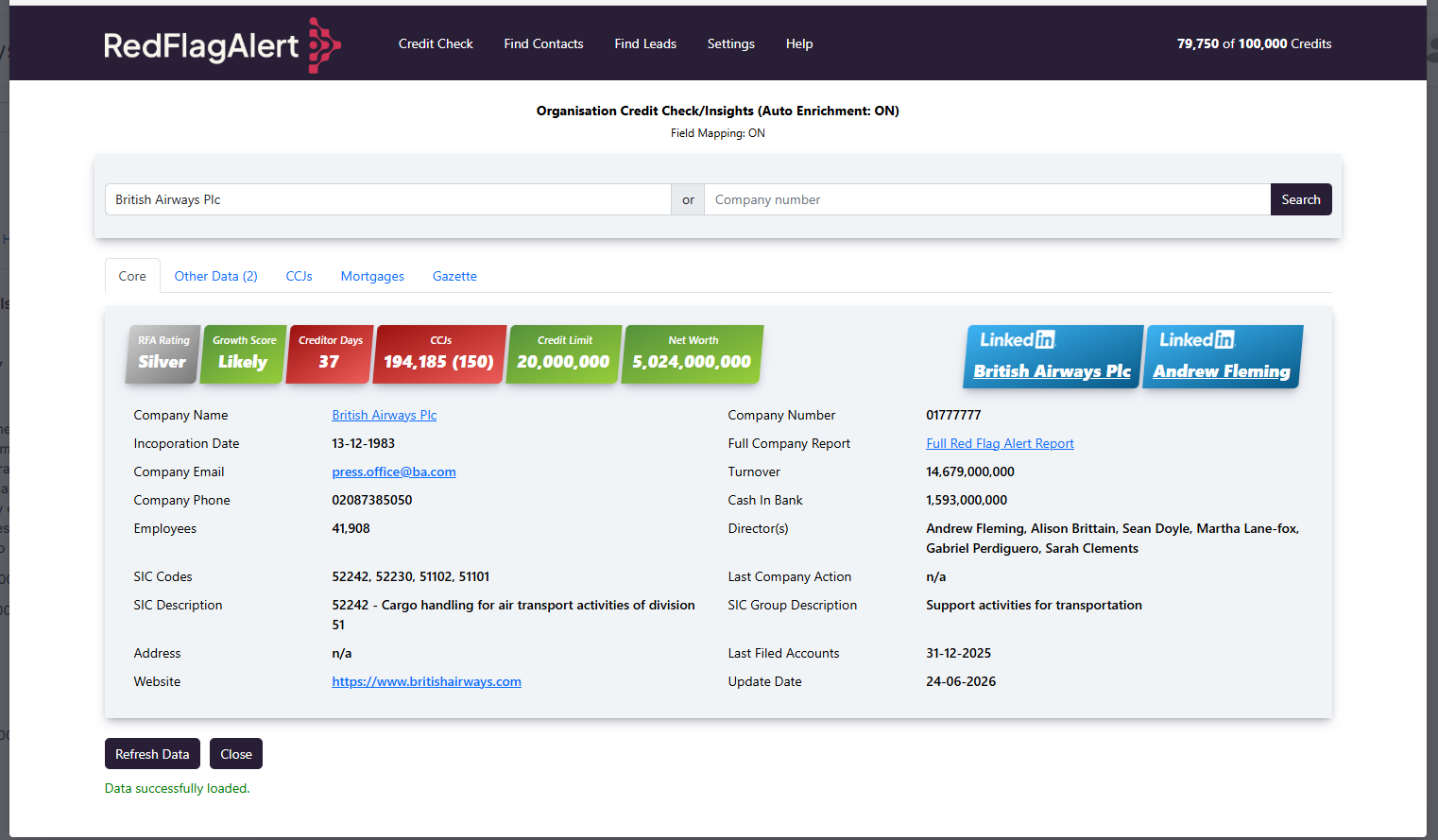
Core Tab - This tab showcases the primary Red Flag Alert field-mapped data.
Other Data Tab - This tab provides a comprehensive display of all field-mapped data.
CCJs Tab - Here, you can find detailed information on all CCJs associated with the company.
Mortgages Tab - This tab offers insights into all mortgage-related information for the company.
Gazette Tab - This tab presents all gazette-related information pertaining to the company.
FIND CONTACTS (Persons)
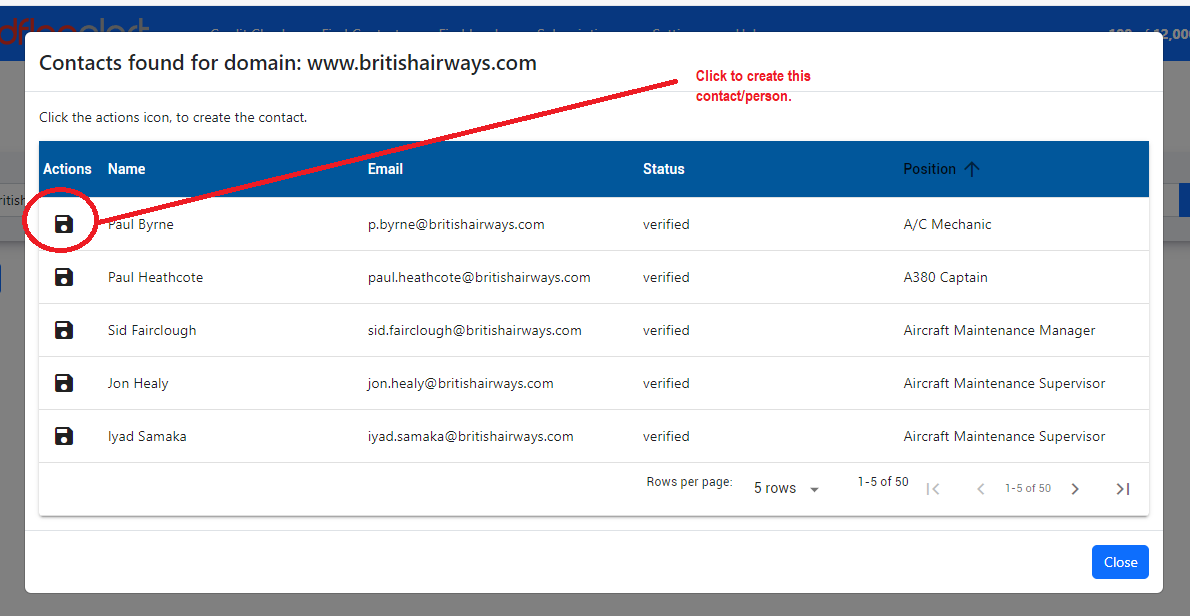
Users have the capability to create contacts (individuals) and link them to the organisation.
Search Button
Utilise this button to search for contacts based on their domain name.
FIND LEADS
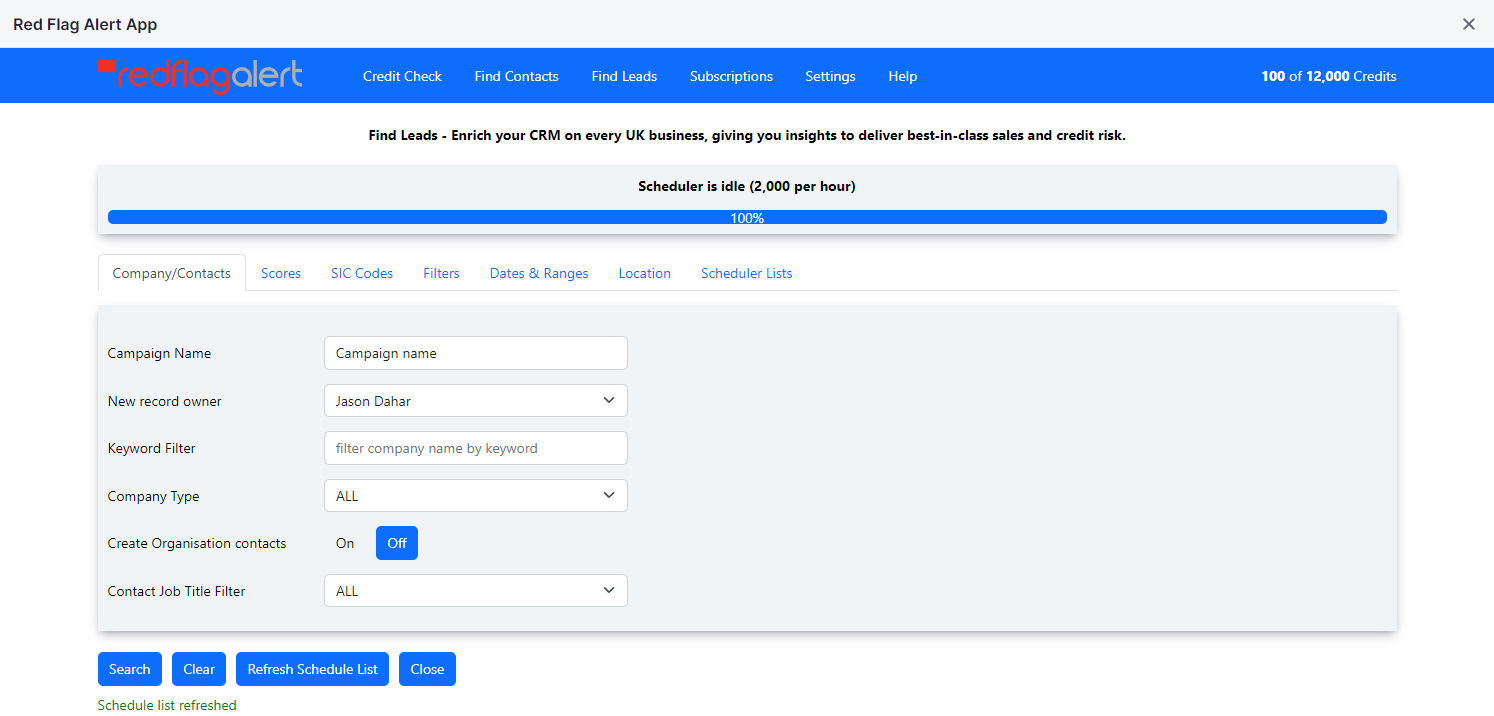
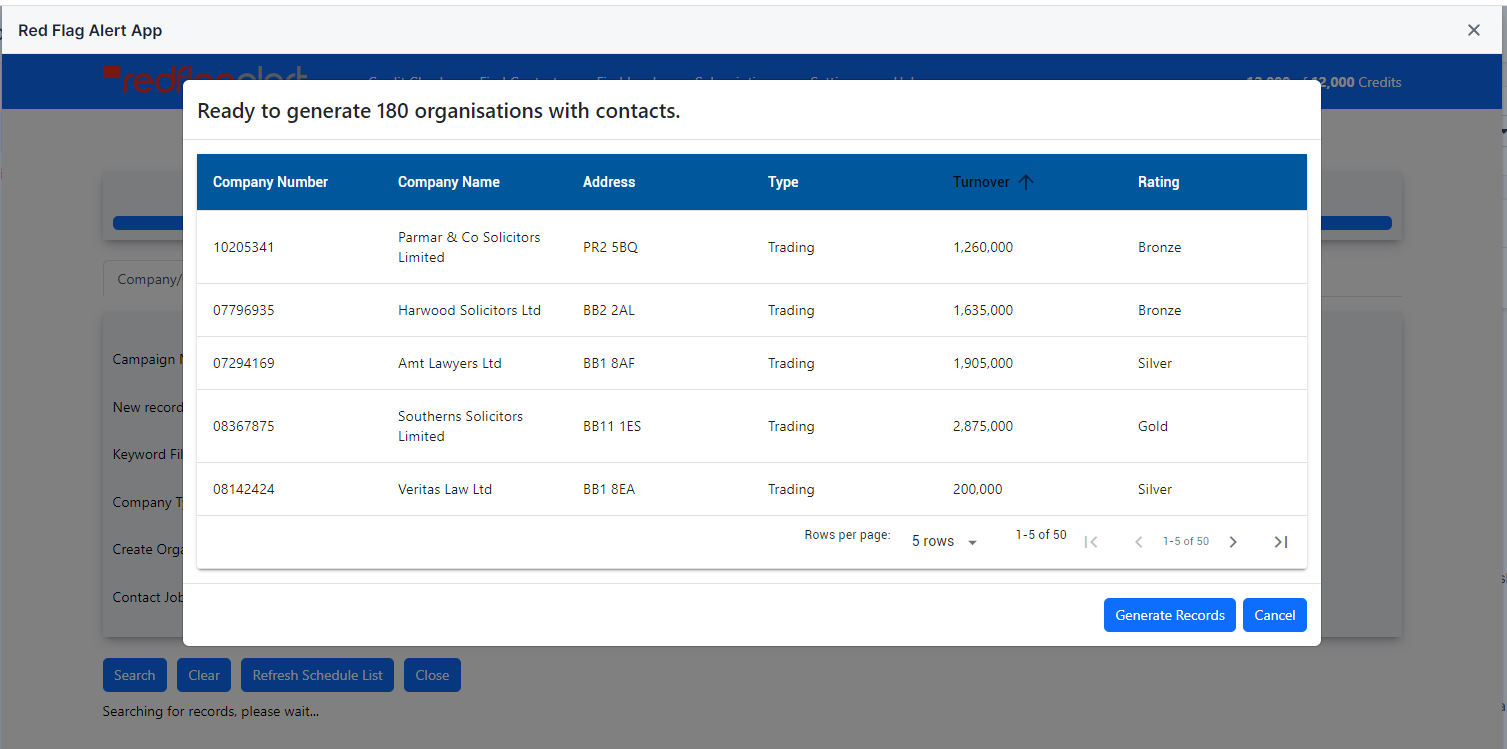
This feature allows you to establish new organisation records, and you also have the choice to create associated persons (contacts) records.
Field: New record owner
You can assign ownership of the new organisation records to another user in your CRM. The default setting is the current user.
Field: Create Organisation contacts
When this option is enabled, new persons (contacts) records will be automatically generated.
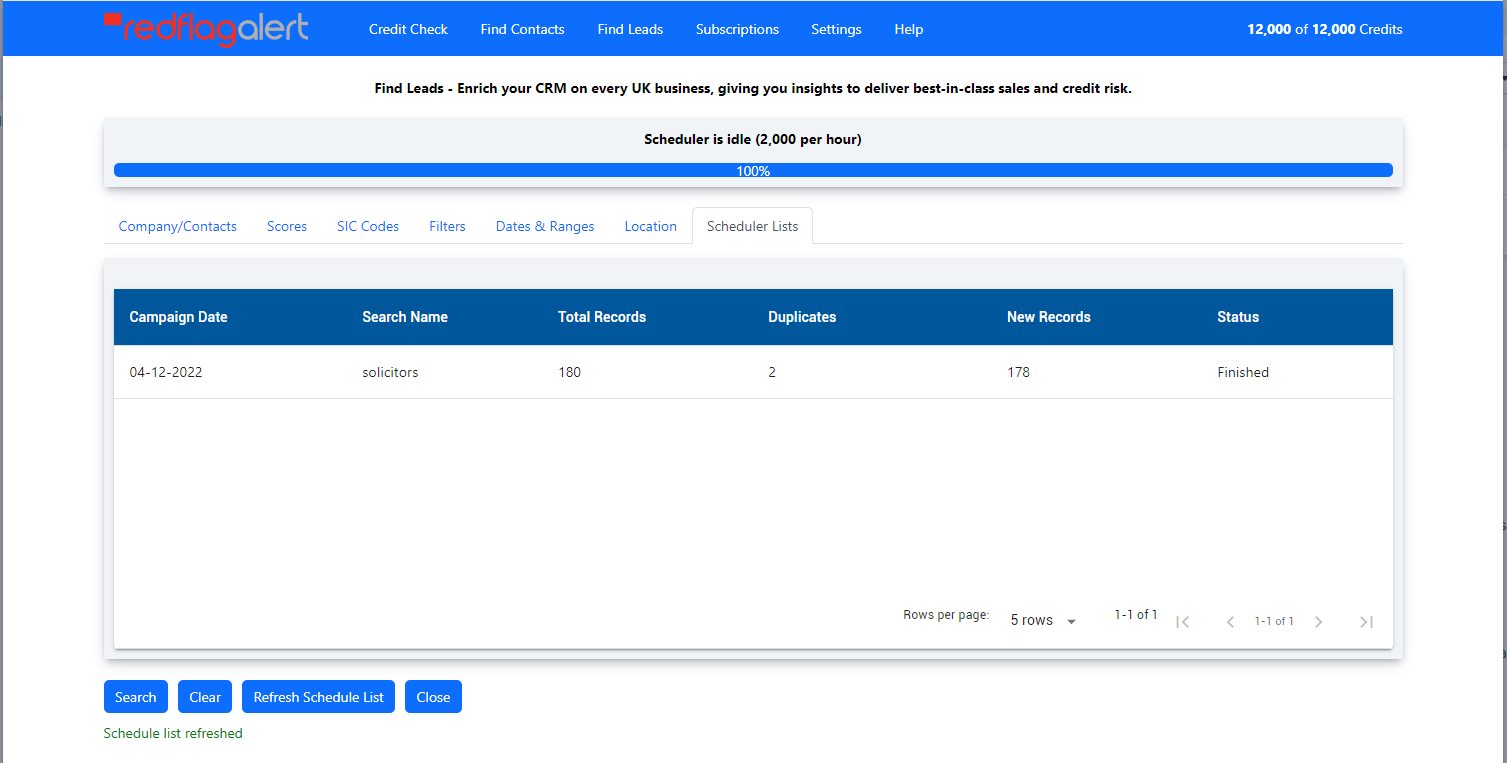
Scheduler List
Shows all the lead discovery campaigns you've established.
PIPEDRIVE CUSTOM FIELDS CREATED BY APP
Organisation:
- Red Flag Alert Company Number
- Red Flag Alert Company Id
- Red Flag Alert Campaign Name
Person:
- Red Flag Alert Position
- Red Flag Alert Social URL
FIELD MAPPING
You can create the following fields in field mapping or use your own.
CORE Fields
OTHER Fields
Before you install
Have you read the user guide and installation instructions for this app?
Please make sure you've reviewed them before installing.