Red Flag Alert — Digital IDV & AML
v1.01
Run Digital ID Verification (IDV) and Anti-Money Laundering (AML) checks on your Pipedrive person records and attach the completed reports.
WHAT OUR APP CAN DO
Our app enables you to conduct Digital ID Verification (IDV) and Anti-Money Laundering (AML) checks on your CRM person records, and it facilitates the attachment of the completed check reports.
You have the option to monitor the check progress manually, or our scheduler can automate this process for you.
Check Types:
- IDV - IDV is an Identity Verification, this involves a 'selfie' and capturing a picture of photo ID (Driver's License or Passport).
2 Credits
- IDV + AML - This will issue an IDV check ('selfie' and photo ID) which will then take address information and verify this data against FCA approved data sources.
4 Credits
- IDV + AML + PSAM - This will issue and IDV check, perform an address verification, and conduct a PEPs (Politically Exposed Person) check, check International Sanctions' lists, and global Adverse Media.
5 Credits
- IDV + PSAM - This will issue an IDV check ('selfie' and photo ID), then conduct a PEPs (Politically Exposed Person) check, check International Sanctions' lists, and global Adverse Media.
3 Credits
- AML - This will take address information and verify this data against FCA approved data sources.
2 Credits
- PEPS, Sanctions, Adverse Media - This will conduct a PEPs (Politically Exposed Person) check, check International Sanctions' lists, and global Adverse Media.
2 Credits
App Authorisation
Each user will initially be required to authorise the app by using their username and password they use for the Red Flag Alert Portal login.
Credits
Credits are allocated at the Account or CRM level, rather than the user level. Whenever you initiate a new check, credits will be deducted.
Minimum CRM edition requirements.
This app is compatible with Pipedrive's Essential plan and higher.
Installation
To install the app, follow these simple steps:
1. Log in to your Pipedrive account.
2. Navigate to the "Marketplace" within Pipedrive.
3. Search for "Red Flag Alert" in the marketplace.
4. Click on the app and proceed to install it.
App Launcher
Open a person record and click Digital IDV & AML button.
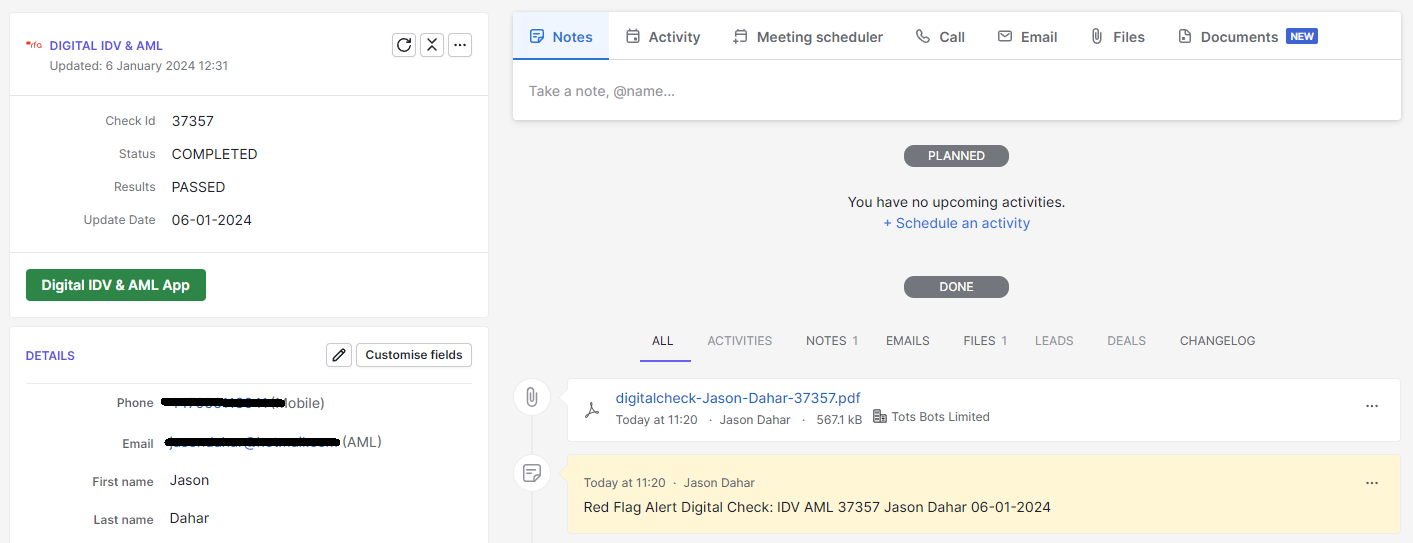
APP HOME SCREEN
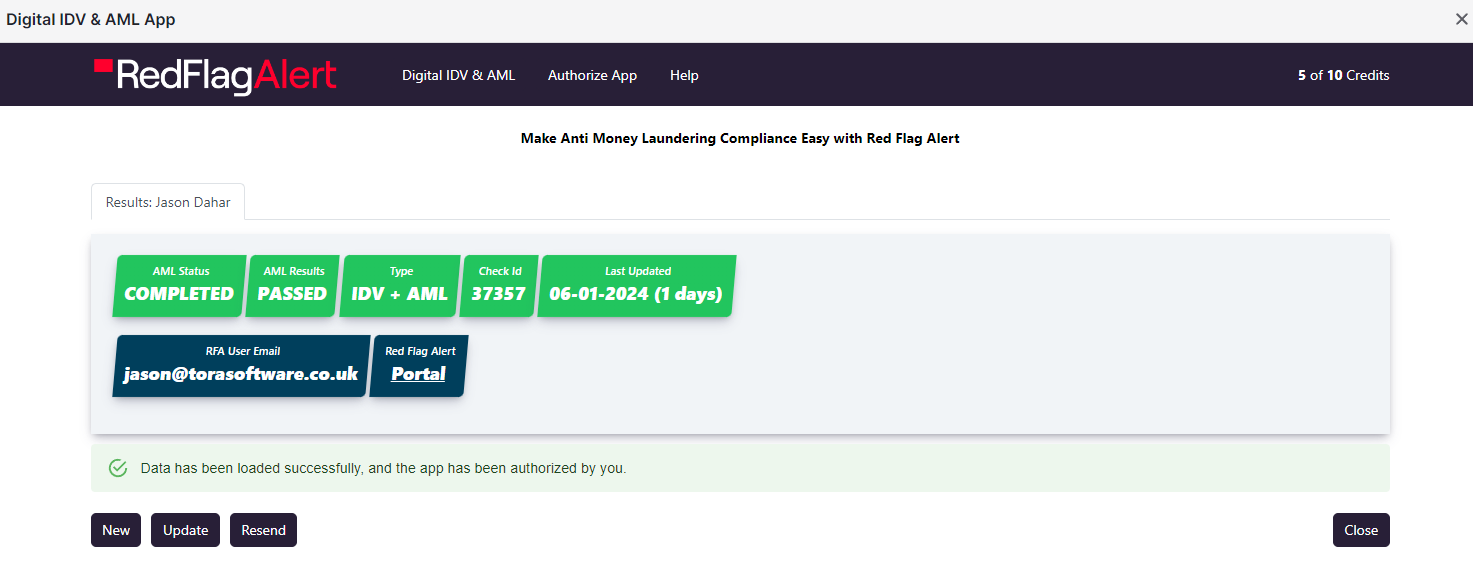
Button: New
Create a new Digital ID Verification (IDV) and Anti-Money Laundering (AML) check.
Button: Update
Update the Status and Results of the current Check. If the check has been completed the report will be attached.
Button: Resend
This will resend the IDV link to the Person’s email and mobile.
Button: Close App
Close the app.
Red Flag Alert - Portal
Direct URL link to the Red Flag Alert Portal.
Menu Button: Authorise App
The current user will be to enter the same username and password they use for the Red Flag Alert Portal.
NEW CHECK
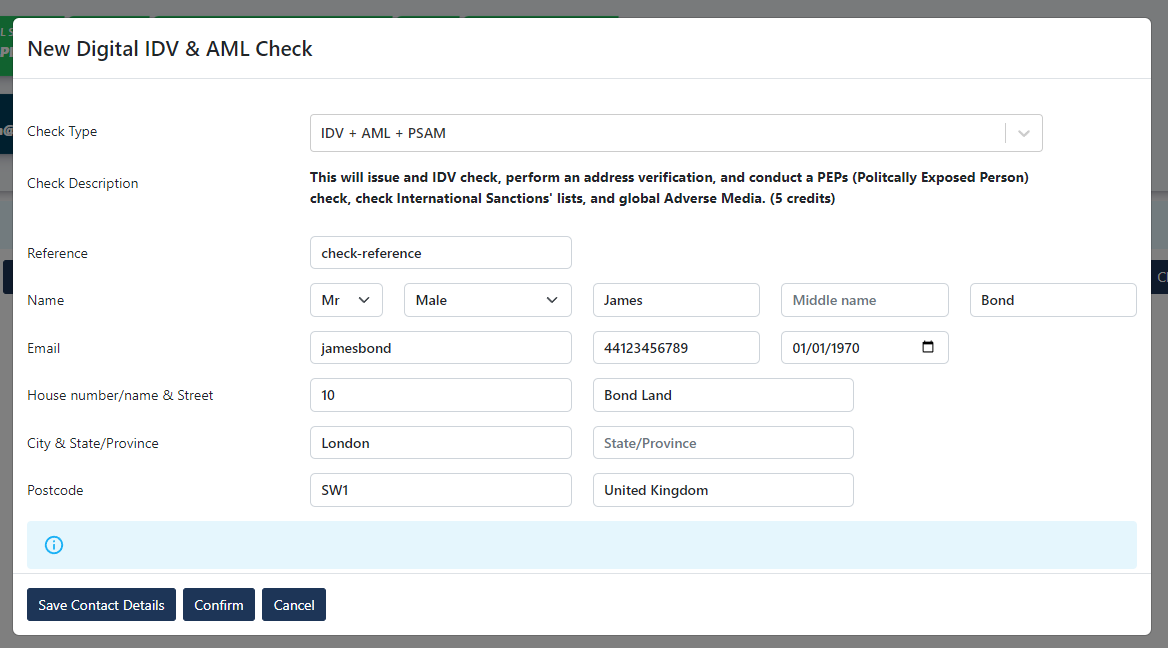
Button: Save Details
Updates person record.
Button: Confirm
Create a new Digital ID Verification (IDV) and Anti-Money Laundering (AML) check.
Button: Cancel
Cancel check.
TECHNICAL DETAILS
Person Custom Fields generated by the App.
- Red Flag Alert AML Status
- Red Flag Alert AML Data
- Red Flag Alert AML Request Data
The IDV & AML Scheduler
Every hour, our automated scheduler will refresh any pending check requests. When the status is marked as completed, it will seamlessly upload the corresponding check documents to your CRM.
Before you install
Have you read the user guide and installation instructions for this app?
Please make sure you've reviewed them before installing.