
Red Flag Alert — Portfolio Manager
v1.30a · 29 Jun 2025
Monitor company risk across your customer and prospect base and receive real-time alerts inside HubSpot, processed every hour, 24/7.
Introduction
This guide explains how to integrate the Red Flag Alert Portfolio Manager with HubSpot CRM, enabling your sales and compliance teams to monitor company risk, receive real-time alerts, and enrich contact and company records—all without leaving HubSpot.
What is Portfolio Manager?
Red Flag Alert's Portfolio Manager allows you to track financial health, risk events, and changes across your customer and prospect base. You can monitor:
- Insolvency risk
- Credit scores
- CCJs
- Company events (e.g. PEPs, gazette notices, filings)
Impact on your HubSpot CRM
Red Flag Alert processes portfolio events every hour, 24/7.
When a portfolio company event occurs:
- The Red Flag Alert data on the associated HubSpot company record is automatically refreshed.
- A company note is created in HubSpot summarising all relevant events affecting that company.
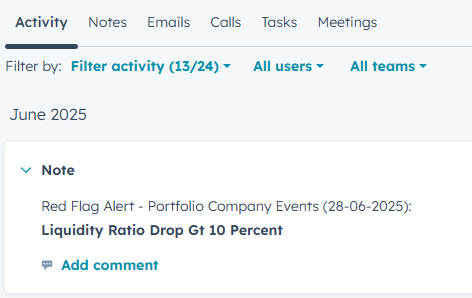
How to Access Portfolio Manager
Click on the “Portfolio Manager” tab.
You must first connect to Red Flag Alert portfolio manager by clicking on the “Connect” button.
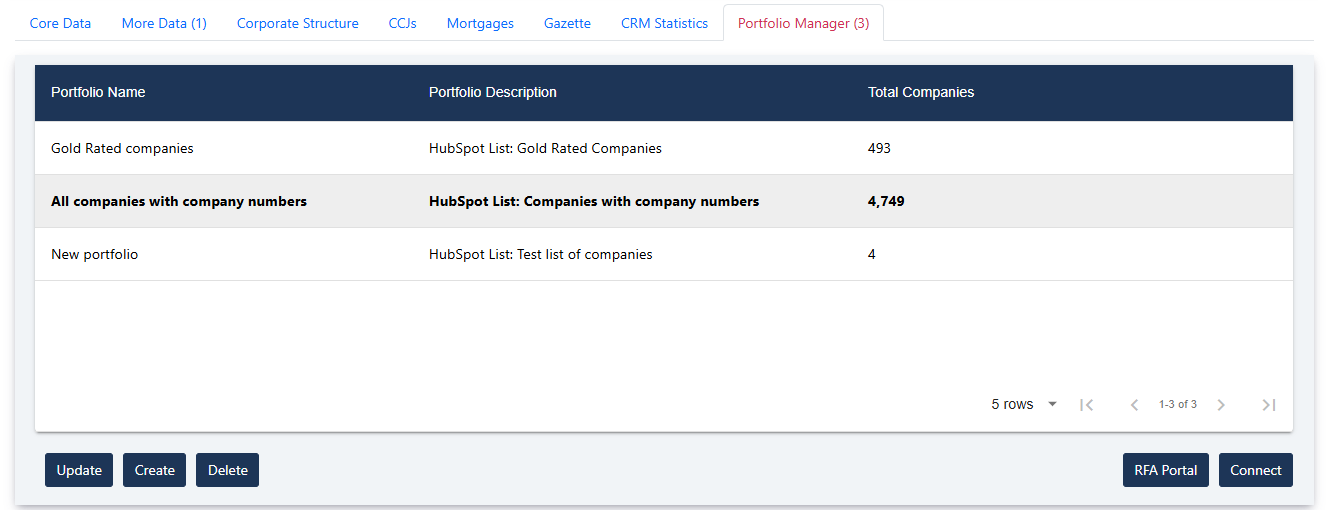
Button: Update
Update the highlighted portfolio.
Button: Create
Create a new portfolio.
Button: Delete
Deletes the highlighted portfolio.
Button: Red Flag Alert Portal
Opens a new tab to access your Red Flag Alert portfolio portal.
Button: Connect
Connect your Red Flag Alert account to your HubSpot CRM.
Create or Update the Protfolio
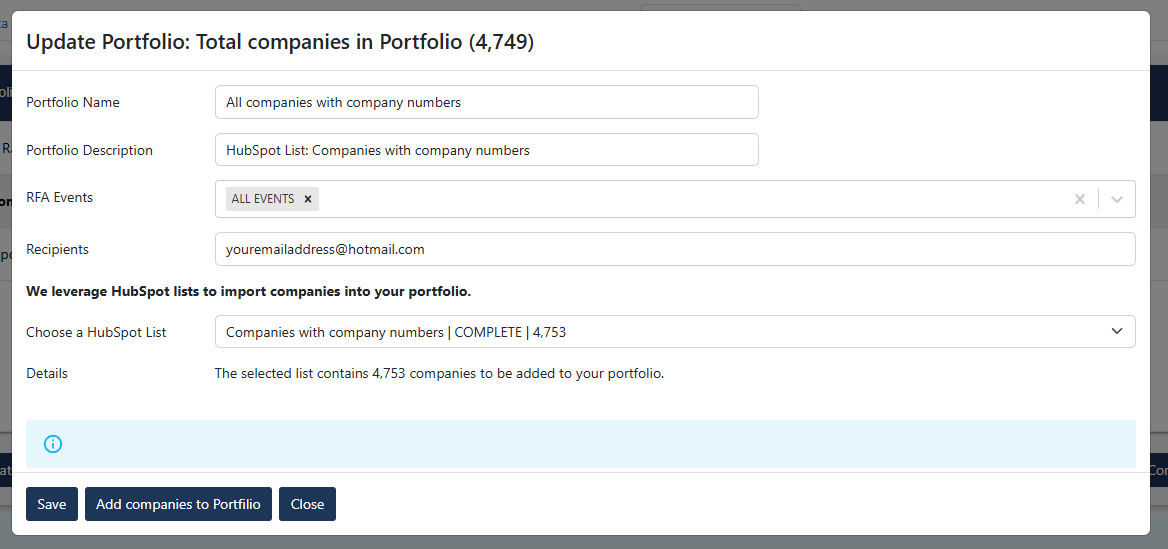
Button: Save
Portfolio Description: The portfolio description must contain the word “HubSpot”, so our servers can identify portfolios linked to your HubSpot CRM.
Red Flag Alert Events: Choose events you would like to monitor.
Recipients: Add emails, that you would like to receive event notifications.
Button: Add companies to Portfolio
This action will add all the companies in your HubSpot List to your portfolio.
Button: Close
Cancel create or update portfolio details.
Before you install
Have you read the user guide and installation instructions for this app?
Please make sure you've reviewed them before installing.