
Red Flag Alert — Credit Check/B2B Leads
v2.07 · 25 Jun 2026
Gain insider information on your prospects and clients by connecting your HubSpot CRM to a live Red Flag Alert database of over 6.5 million UK businesses.
HOW TO INSTALL APP
Go to the HubSpot APP Marketplace and search for “red flag” install the Red Flag Alert – B2B Leads App.
OR
RECOMMENDATION
Before utilising the app, we strongly recommend reviewing and adjusting the custom field mappings as needed. This involves switching specific custom fields on or off in the field mapping configuration to ensure that the app aligns with your data requirements and integrates smoothly with your CRM system.
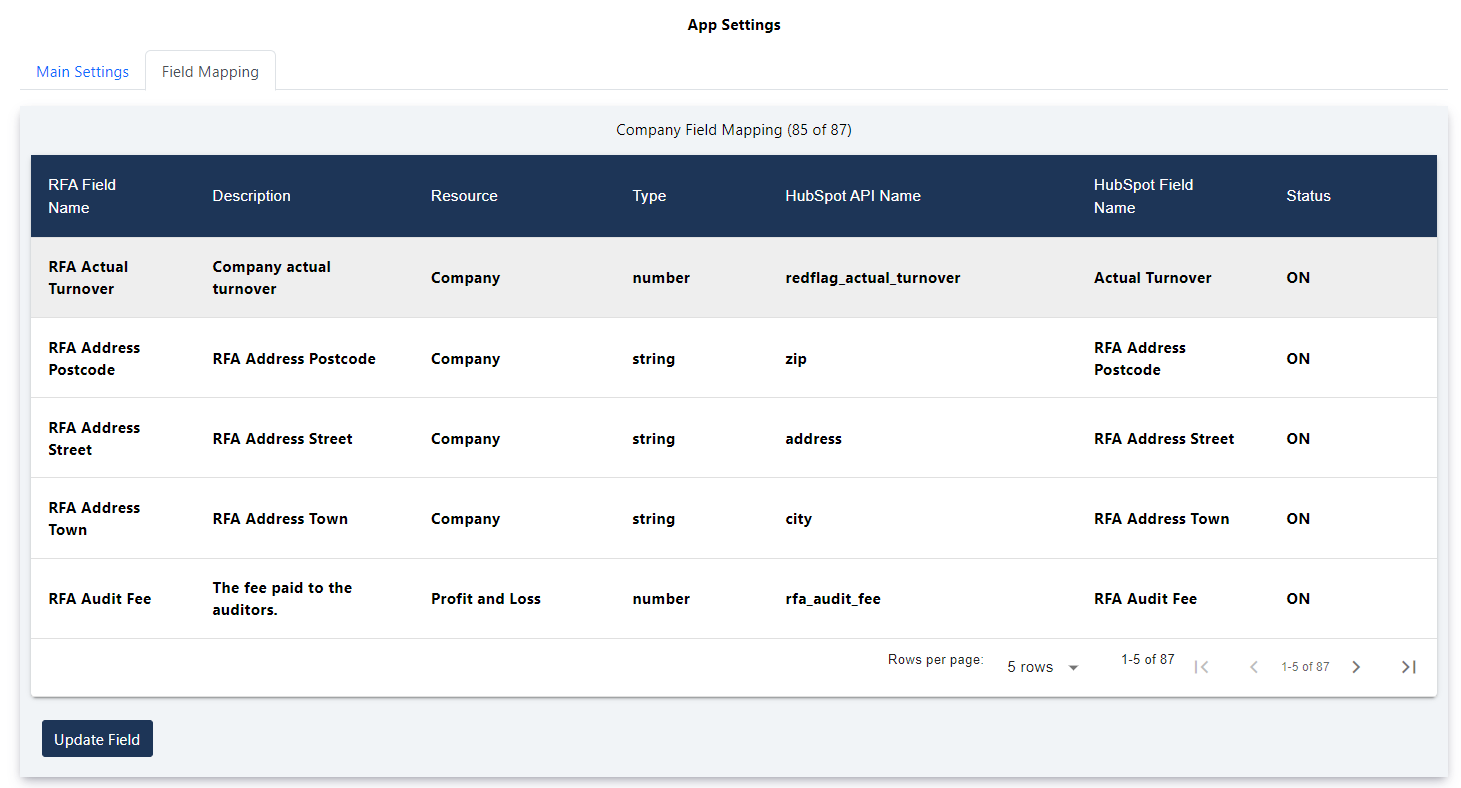
To access field mapping, open App, click Settings then Field Mapping tab.
SWITCH OFF OVERRIDING DEFAULT FIELDS
You can switch off overriding fields in Field Mapping:
- zip
- Address
- City
- Name
- Phone
- Website
- domain
QUICK SETUP (SELF-SERVICE)
The first time you open the app, a short Setup Wizard helps you choose what Red Flag Alert data to bring into HubSpot. You can re-run it any time from the Field Mapping tab using the Run setup wizard button.
Step 1 — Welcome
Shows what the app does and your available credits.
Step 2 — Choose a preset
Pick a starting point that switches on a sensible set of fields. You can still fine-tune individual fields afterwards in Field Mapping.
- Minimal / safe — core risk fields only (the default).
- Credit risk — risk plus key financials (balance sheet and profit & loss).
- Lead generation — company details, SIC codes, directors and contacts.
- Everything — all Red Flag Alert fields switched on.
Step 3 — Auto Enrichment
Choose whether new company records are automatically enriched, and whether contacts and directors are created automatically. This step requires the Auto Enrichment feature to be enabled on your account.
Step 4 — Finish
Saves your choices. The wizard will not appear again automatically, but you can reopen it any time from the Field Mapping tab.
Apply a preset later
In the Field Mapping tab you can apply any preset at any time using the Apply a preset dropdown, then adjust individual fields as needed.
Test on a record (preview only)
Also in the Field Mapping tab, Test on a record lets you enter a company number and preview exactly what Red Flag Alert would write to that company using your current field mappings — without changing any record and without using any credits.
HOW TO ACCESS THE APP
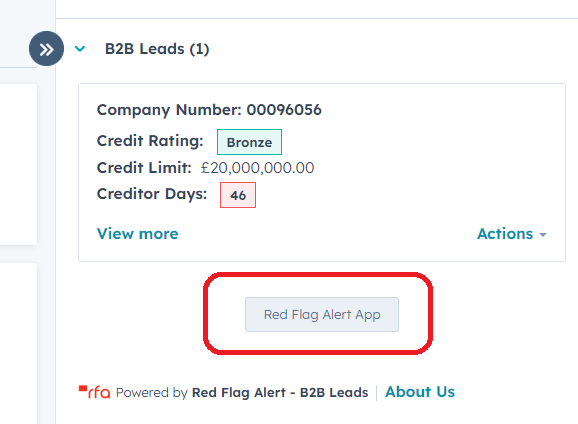
To access the Red Flag Alert App for a specific company record, simply click the "Red Flag Alert App" button.
SETTINGS
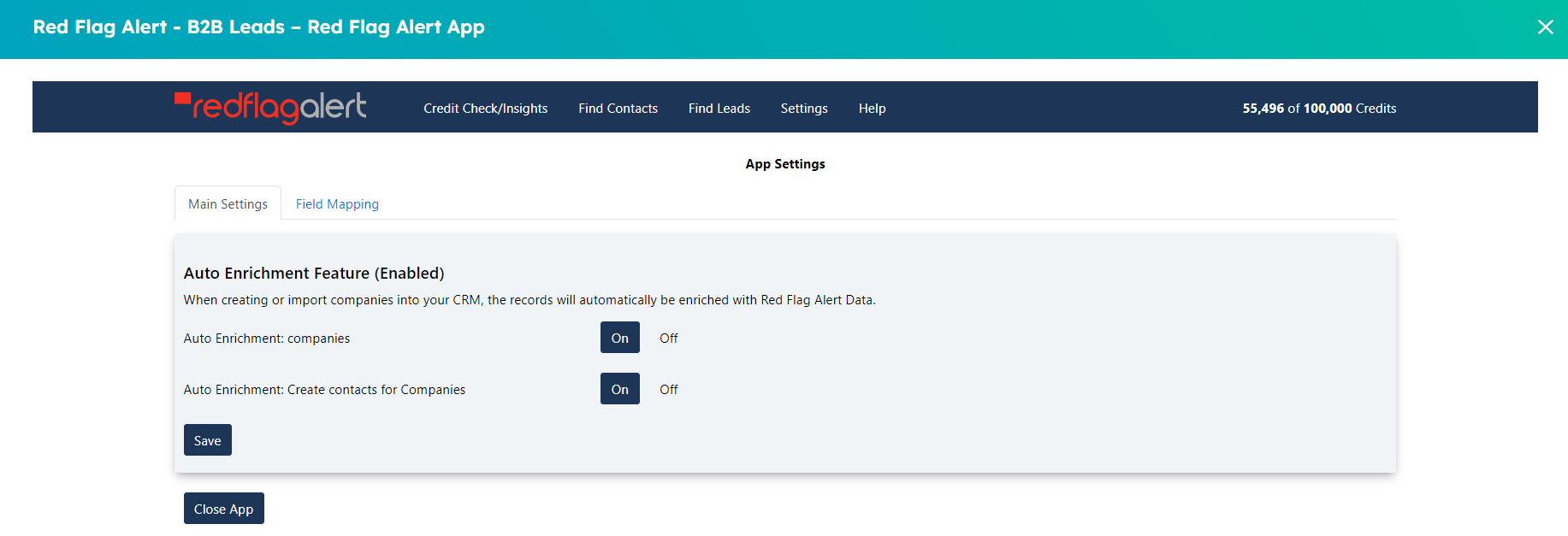
AUTO ENRICHMENT FEATURE
Automatic enrichment of company records with Red Flag Alert data.
HOW IT WORKS
When you create or import records into your CRM with valid company numbers, the records will automatically be updated with Red Flag Alert Data.
When the create contacts for company’s switch is on, using the email or website, our app will create contacts and associate them to the company.
CREDITS: Each company enrichment will be one credit, if you have no credits, no enrichment will be done.
COMPANIES - SWITCHING AUTO ENRICHMENT ON/OFF (Default OFF)
- Open the App, click on “Settings” button.
- Click On/Off button for “Auto Enrichment Organisations
CREATE CONTACTS FOR COMPANIES ON/OFF (Default OFF)
- Open the App, click on “Settings” button.
- Click On/Off button for “Auto Enrichment: Create contacts for Companies”.
AUTO ENRICHMENT – Disabled
If auto enrichment is disabled, ask you Red Flag Alert account manager, about enabling it.
FIELD MAPPING
You can switch ON/OFF all Red Flag Alert custom fields, including mapping the fields to your own HubSpot fields.
CREDIT CHECK/INSIGHTS
Update the company Red Flag Alert field mapped fields.
Search Button: You can search by company name or company number.
Refresh Data Button: Updates all Red Flag Alert data for this company.
Create Directors: Create all active directors as contacts for company record.
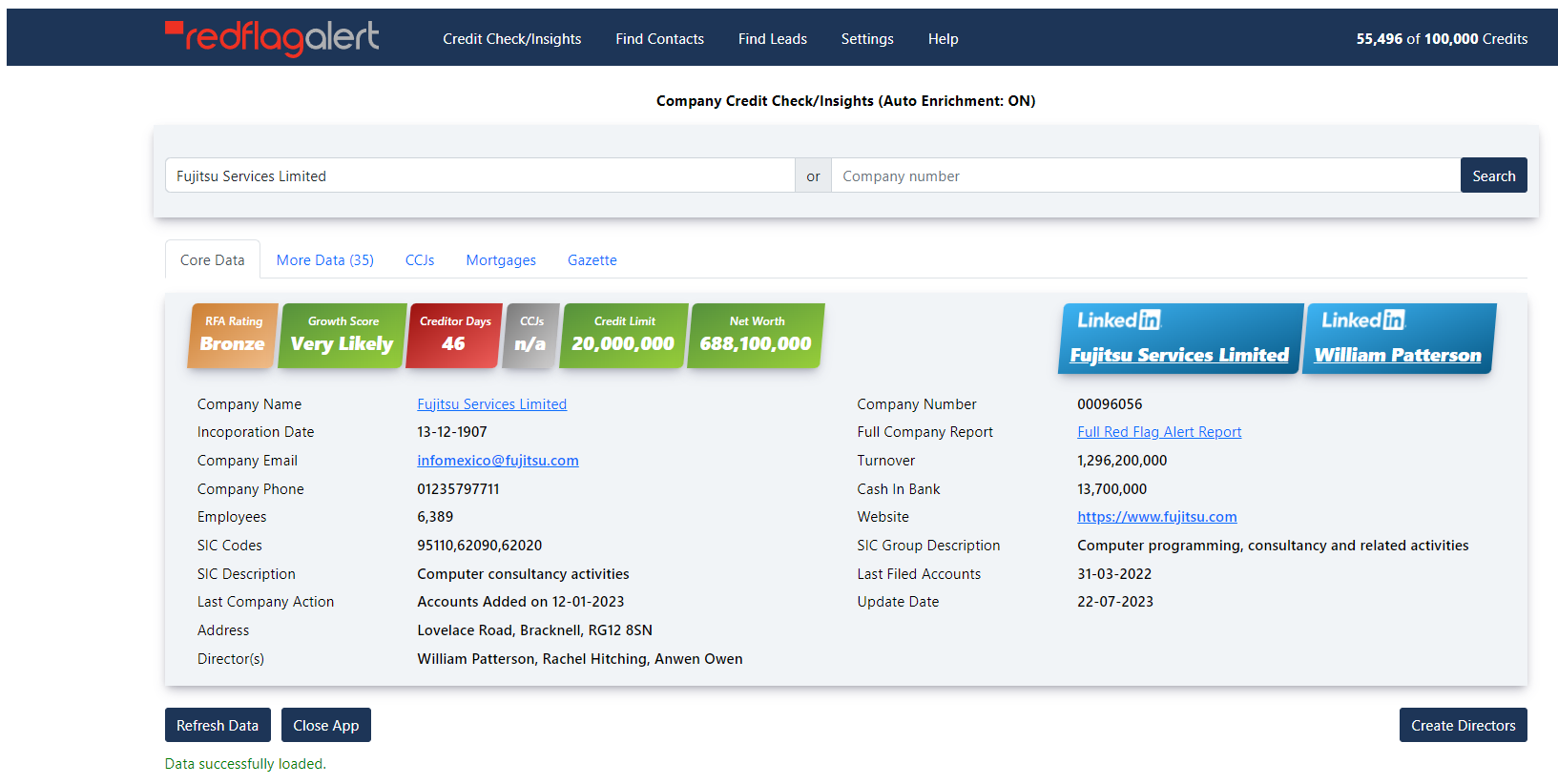
TAB: Core Data: Display the main Red Flag Alert field mapped data.
TAB: More Data: Displays all the field mapped data.
TAB: CCJs: Displays all CCJs information for the company.
TAB: Mortgages: Displays all mortgages information for the company.
TAB: Gazette: Displays all gazette information for the company.
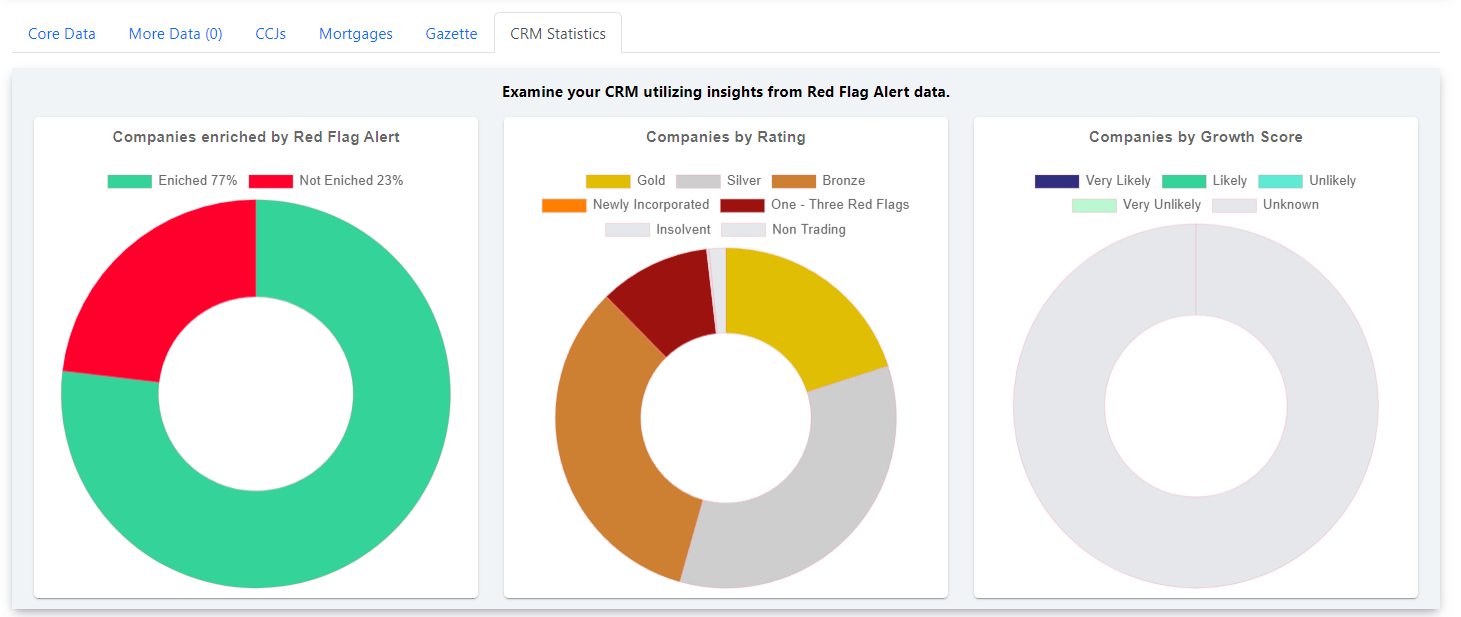
TAB: CRM Statistics: Examine your CRM utilising insights from Red Flag Alert Data.
CORPORATE STRUCTURE
Displays the full corporate hierarchy related to the current company record, including parent and subsidiary companies.
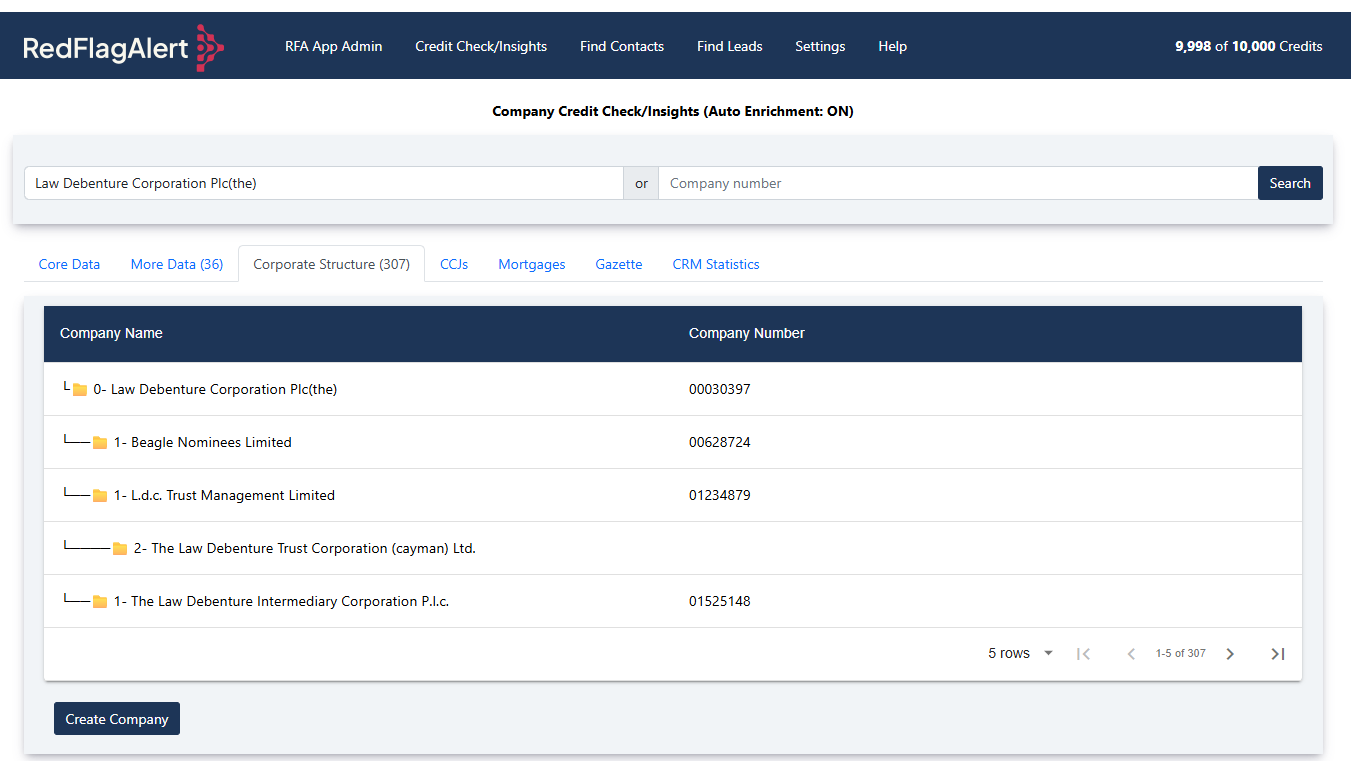
Button: Create Company
Creates a new company record for the selected company in the table.If a company already exists with the same company number, no new record will be created.
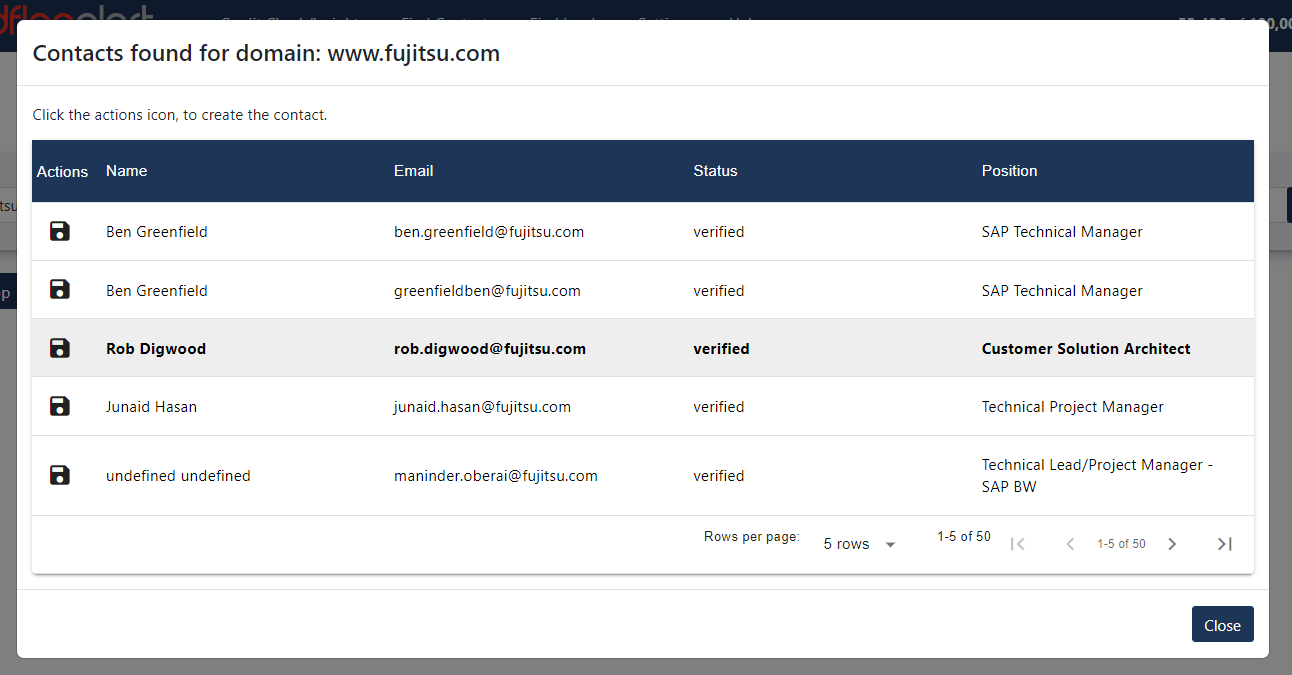
FIND CONTACTS
Created contacts will be associated to the company.
Search Button
Search for contacts using the domain name.
Actions Button
Click to create contact.
IMPORTANT NOTE: No credits are charged for this, as we cannot guarantee the quality of the emails.
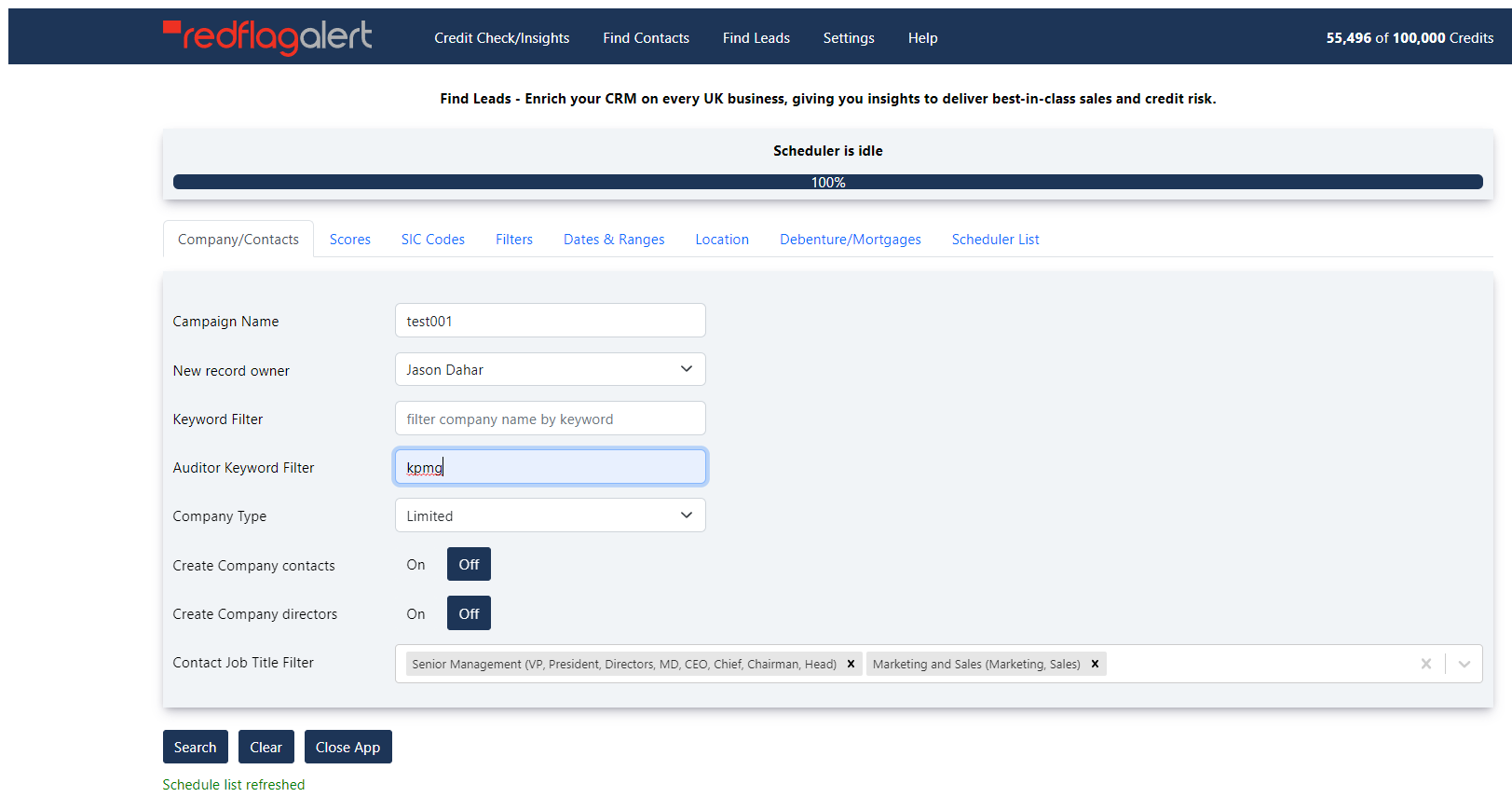
FIND LEADS
Create new company records, with the option to create contacts associated to the company.
Field: New record owner
The user can assign the new company records to another user within their CRM.
Field: Create Company contacts
If this option is ON, new contacts records will be created.
IMPORTANT NOTE: No credits are charged for contacts, as we cannot guarantee the quality of the emails.
Field: Create Company directors
If this option is ON, all active directors will be created.
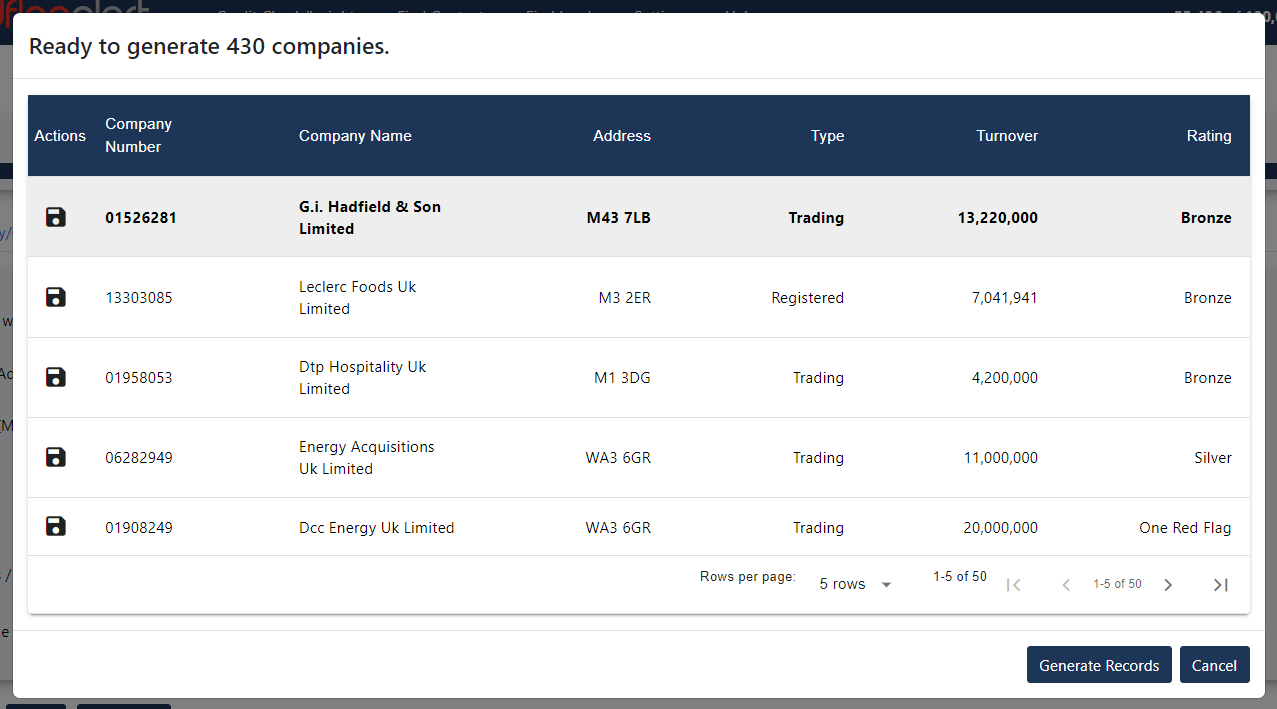
Find Leads – Results List
Actions Button (In List)
You can create each company record in the list.
Generate Records Button
Create all company records.
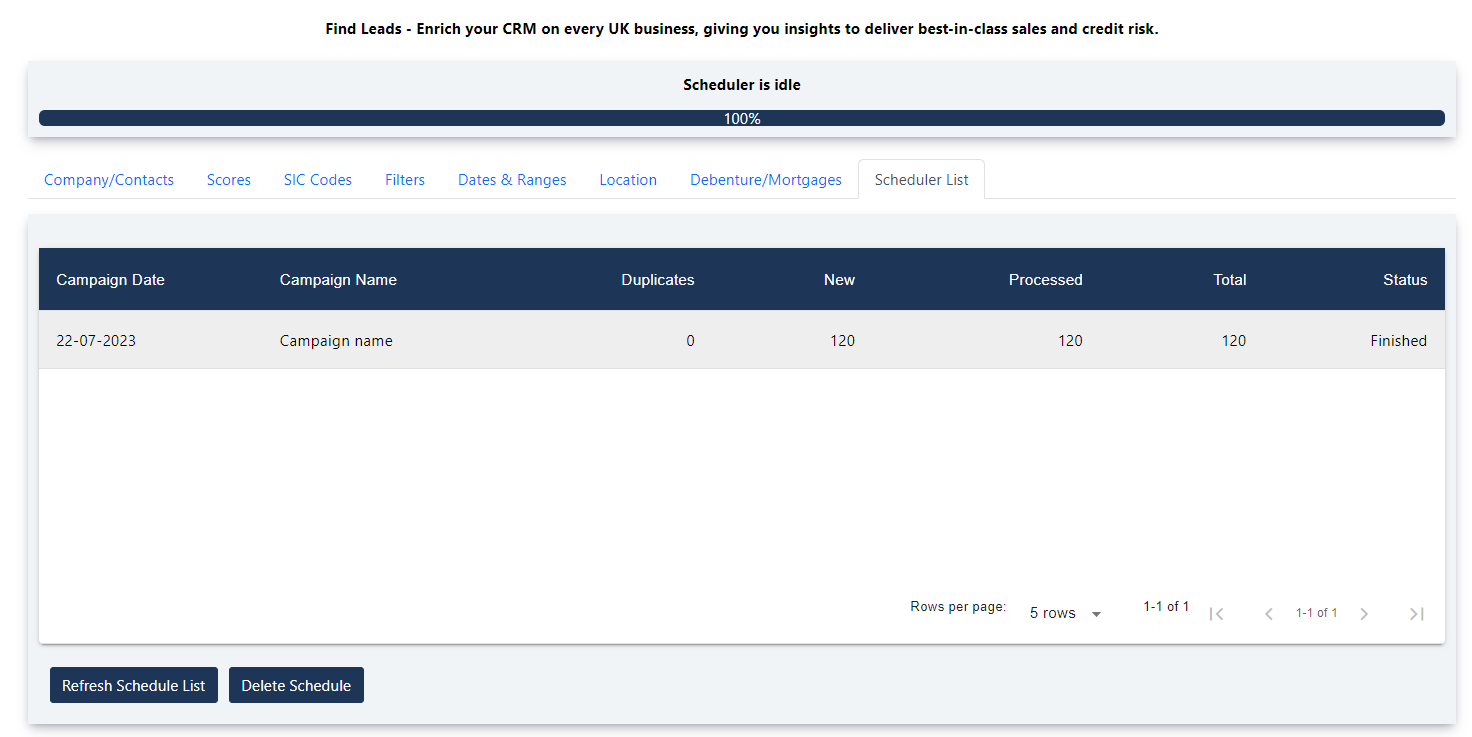
Scheduler List
Displays all the find lead campaigns you have created.
HUBSPOT CUSTOM FIELDS CREATED BY APP
Please note not all these fields are created when you install the App.
Group Name: Red Flag Financial Information
Company Record: Custom Fields
- Red Flag Alert Company number
- Red Flag Alert Company name
- Red Flag Alert Rating Code
- Red Flag Alert Rating Description
- Red Flag Alert Actual Turnover
- Red Flag Alert Estimated Turnover
- Red Flag Alert Creditor Days
- Red Flag Alert Credit Limit
- Red Flag Alert SIC Codes
- Red Flag Alert SIC Description
- Red Flag Alert SIC Group Description
- Red Flag Alert Incorporation Date
- Red Flag Alert TPS Registered
- Red Flag Alert Latest Action
- Red Flag Alert Latest Action Date
- Red Flag Alert Latest Accounts Filed Date
- Red Flag Alert Cash In Bank
- Red Flag Alert Net Worth
- Red Flag Alert Email
- Red Flag Alert Directors
- Red Flag Alert CCJs Amount
- Red Flag Alert Number of CCJs
- Red Flag Alert CCjs Satisfied
- Red Flag Alert VAT Number
- Red Flag Alert Trading Address
- Red Flag Alert Address Street
- Red Flag Alert Address Town
- Red Flag Alert Address Postcode
- Red Flag Alert Telephone number
- Red Flag Alert Employees
- Red Flag Alert Website - Domain
- Red Flag Alert Website
- Red Flag Alert Total Current Assets
- Red Flag Alert Total Fixed Assets
- Red Flag Alert Tangible Fixed Assets
- Red Flag Alert PL Account Reserve
- Red Flag Alert Balance Sheet Account Date
- Red Flag Alert Working Capital
- Red Flag Alert Trade Debtors
- Red Flag Alert Shareholders Funds
- Red Flag Alert Stocks
- Red Flag Alert Misc Current Assets
- Red Flag Alert Total Long Term Liabilities
- Red Flag Alert Creditors Amounts Falling
- Red Flag Alert Total Assets Less Liabilities
- Red Flag Alert Revaluation Reserve
- Red Flag Alert Share Capital Reserve
- Red Flag Alert Total Liabilities
- Red Flag Alert Total Assets
- Red Flag Alert Contingent Liabilities
- Red Flag Alert Intangible Assets
- Red Flag Alert Pre Tax Profit
- Red Flag Alert Directors Remuneration
- Red Flag Alert Profit and Loss Account Date
- Red Flag Alert Retained Profit
- Red Flag Alert Audit Fee
- Red Flag Alert Interest Payable
- Red Flag Alert Non Trading Income
- Red Flag Alert Operating Profit
- Red Flag Alert Dividends
- Red Flag Alert Taxation
- Red Flag Alert Gross Profit
- Red Flag Alert Non Audit Fee
- Red Flag Alert Post Tax Profit
- Red Flag Alert Value Added
- Red Flag Alert Cost Of Sales
- Red Flag Alert Cashflow Account Date
- Red Flag Alert Net From Operating Activities
- Red Flag Alert Net From Return Investment Servicing
- Red Flag Alert Increase In Cash
- Red Flag Alert Net Before Financing
- Red Flag Alert Net From Financing
- Red Flag Alert Auditor
- Red Flag Alert Company Type
- Red Flag Alert Number of Active Directors
- Red Flag Alert Parent Company Number
- Red Flag Alert Group ID
- Red Flag Alert Company ID
- Red Flag Alert Growth Score
- Red Flag Alert Shareholder Name 1
- Red Flag Alert Shareholder Quantity 1
- Red Flag Alert Shareholder Name 2
- Red Flag Alert Shareholder Quantity 2
- Red Flag Alert Shareholder Name 3
- Red Flag Alert Shareholder Quantity 3
- Red Flag Alert Shareholder Name 4
- Red Flag Alert Shareholder Quantity 4
- Red Flag Alert Best SIC Codes
Contact Record: Custom Fields
- Social Media URL
- Red Flag Alert Search Campaign
Before you install
Have you read the user guide and installation instructions for this app?
Please make sure you've reviewed them before installing.