Red Flag Alert — Digital IDV & AML
v4.02
Run Digital ID Verification (IDV) and Anti-Money Laundering (AML) checks on your Dynamics 365 contact records and attach the completed reports. Included with the Credit Check & Find Leads app.
DIGITAL IDV & AML
Make Anti Money Laundering Compliance Easy with Red Flag Alert
Red Flag Alert provides a comprehensive AML service that is low cost, evolves with regulations and allows you to prove your audit trail. Our data also conforms with GDPR and other data protection laws.
Our app enables you to conduct Digital ID Verification (IDV) and Anti-Money Laundering (AML) checks on your CRM contact records, and it facilitates the attachment of the completed check reports.
You have the option to monitor the check progress manually, or our scheduler can automate this process for you.
Check Types:
- IDV - IDV is an Identity Verification, this involves a 'selfie' and capturing a picture of photo ID (Driver's License or Passport).
2 Credits
- IDV + AML - This will issue an IDV check ('selfie' and photo ID) which will then take address information and verify this data against FCA approved data sources.
4 Credits
- IDV + AML + PSAM - This will issue and IDV check, perform an address verification, and conduct a PEPs (Politically Exposed Person) check, check International Sanctions' lists, and global Adverse Media.
5 Credits
- IDV + PSAM - This will issue an IDV check ('selfie' and photo ID), then conduct a PEPs (Politically Exposed Person) check, check International Sanctions' lists, and global Adverse Media.
3 Credits
- AML - This will take address information and verify this data against FCA approved data sources.
2 Credits
- PEPS, Sanctions, Adverse Media - This will conduct a PEPs (Politically Exposed Person) check, check International Sanctions' lists, and global Adverse Media.
2 Credits
Field Mapping
All fields utilised by the app can be mapped to any compatible field of your choice.
App Authorisation
Each user will initially be required to authorise the app by using their username and password they use for the Red Flag Alert Portal login.
Credits
Credits are allocated at the Account or CRM level, rather than the user level. Whenever you initiate a new check, credits will be deducted.
CONTACT
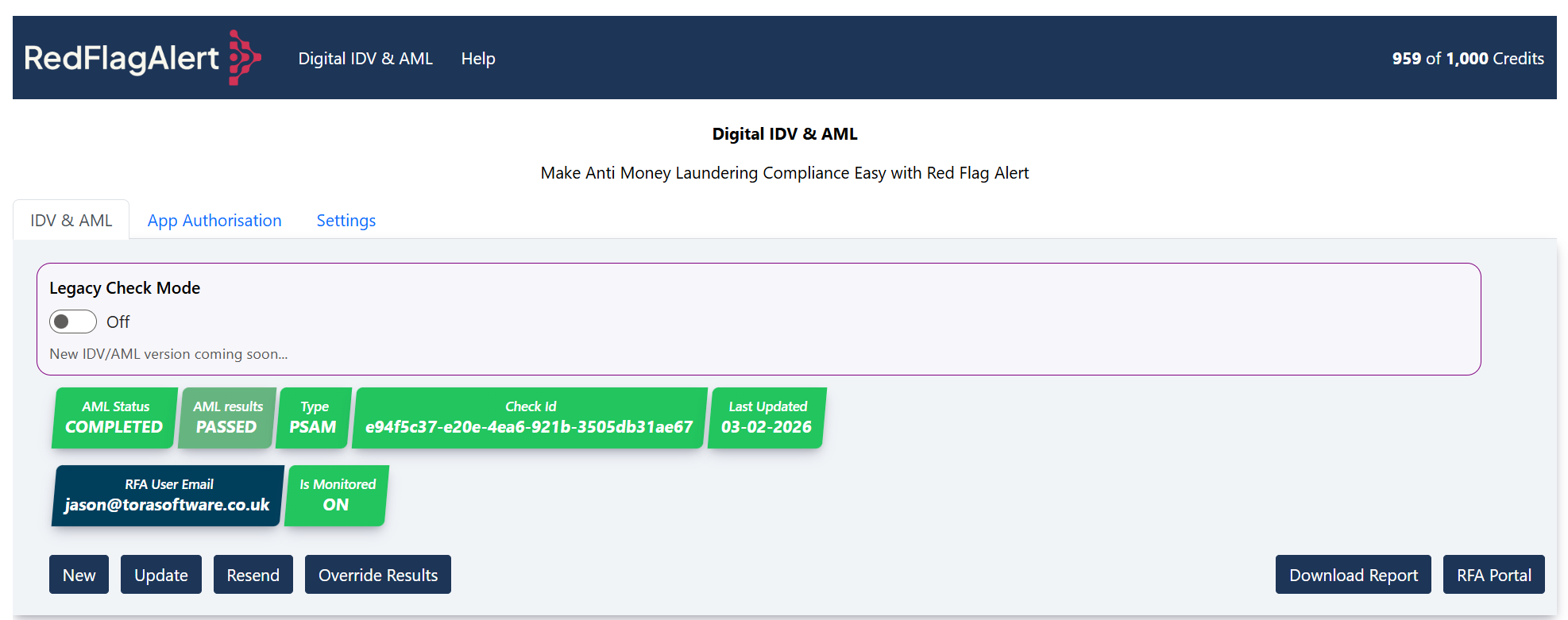
TAB: IDV & AML
Button: New
Create a new Digital ID Verification (IDV) and Anti-Money Laundering (AML) check.
Button: Update
Update the Status and Results of the current Check. If the check has been completed the report will be attached.
Button: Resend
This will resend the IDV link to the Contact’s email and mobile.
Button: Override Results
Allow the user to override the digital check results.
Button: Red Flag Alert Portal
Direct URL link to the Red Flag Alert Portal.
TAB: App Authorisation
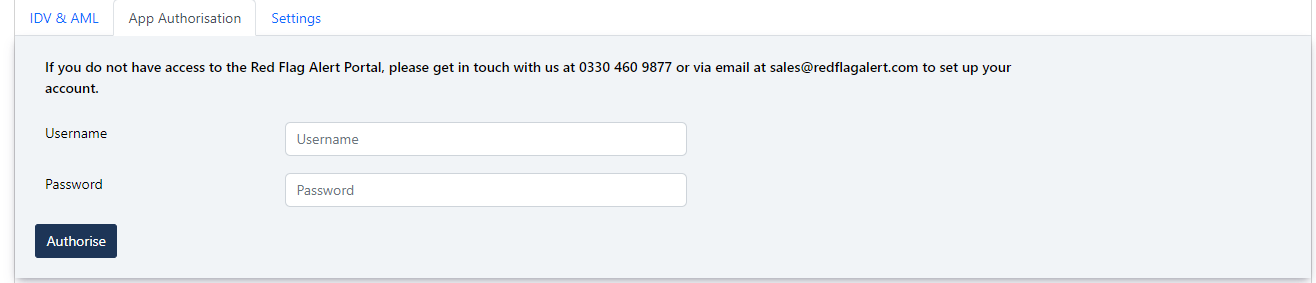
Button: Authorise
The current user will be to enter the same username and password they use for the Red Flag Alert Portal.
TAB: Settings
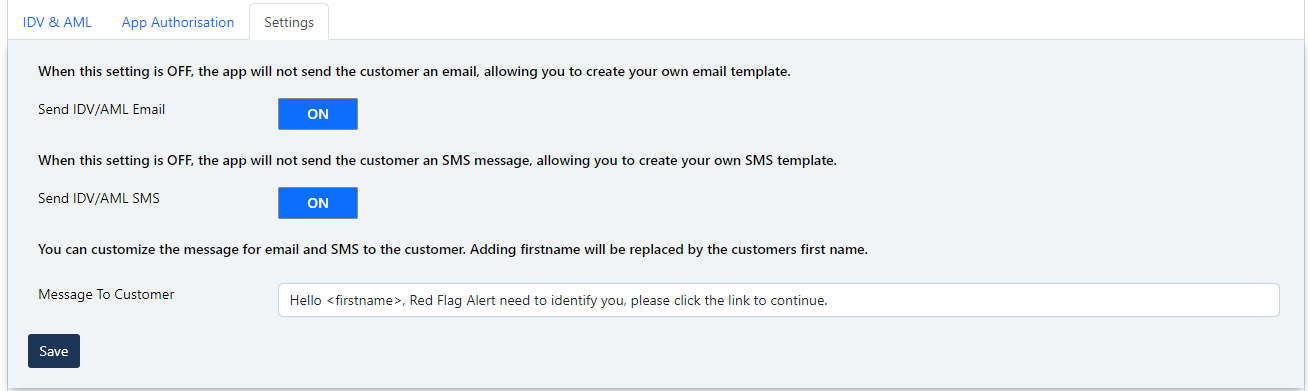
Send IDV/AML Email - When this setting is off, the app will not send the customer an email, allowing you to create your own email template.
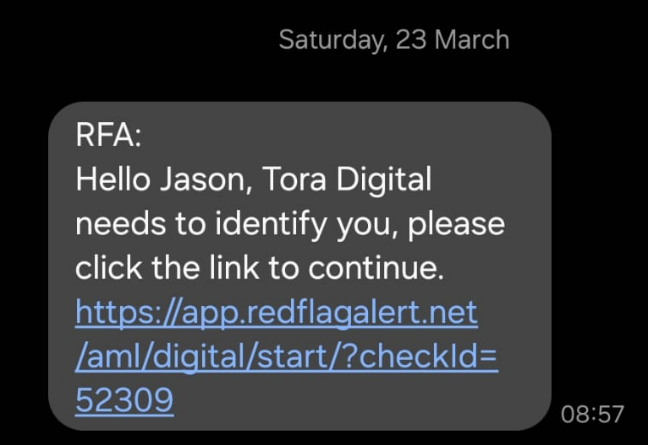
Send IDV/AML SMS - When this setting is off, the app will not send the customer an SMS message, allowing you to create your own SMS template.
The field AML URL on the contact module will contain the link for the customer.
Message to Customer – Personalise the message within the SMS message.
Button: Save
Admin only will be able to save these settings.
New IDV & AML CHECK
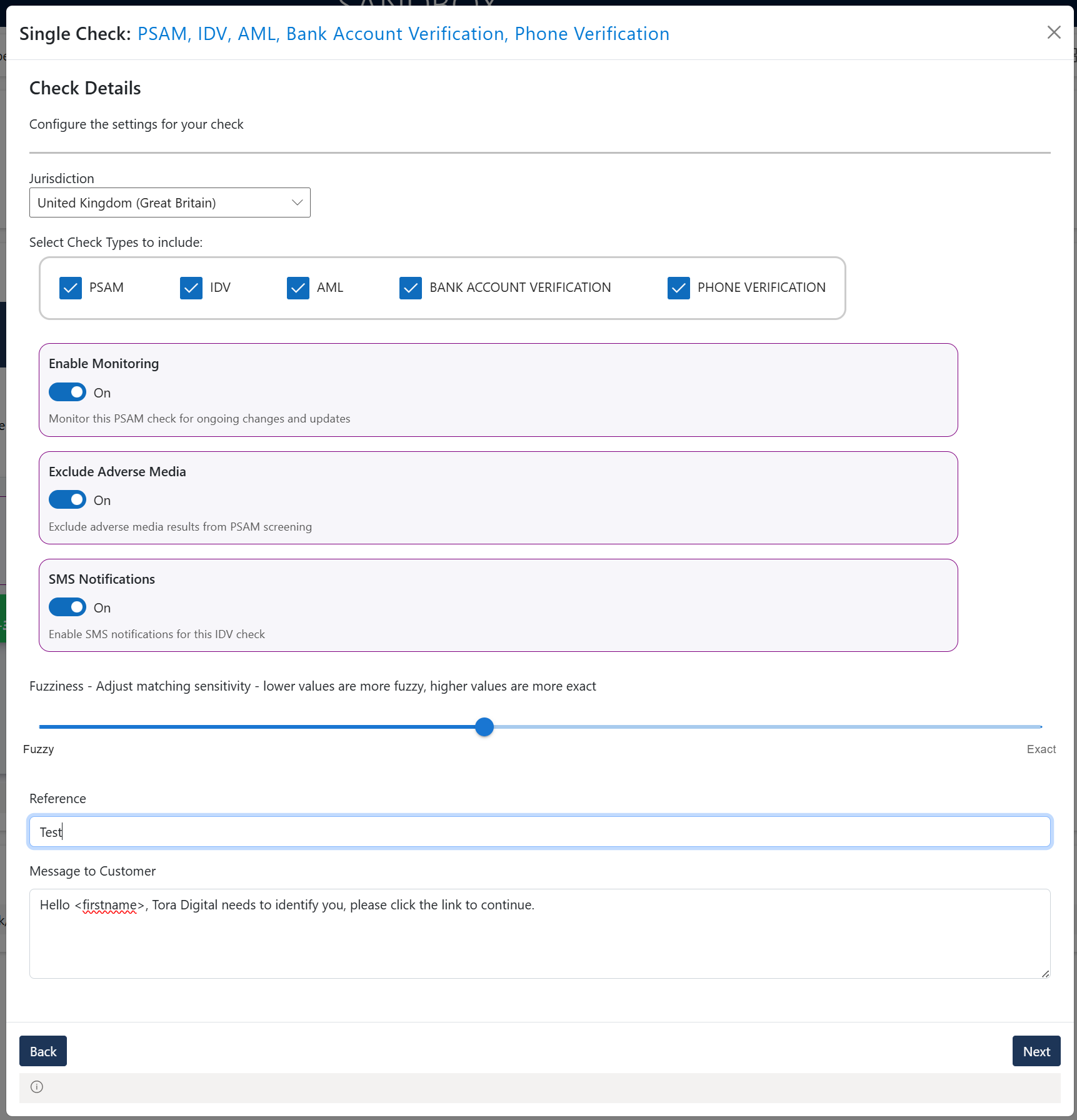
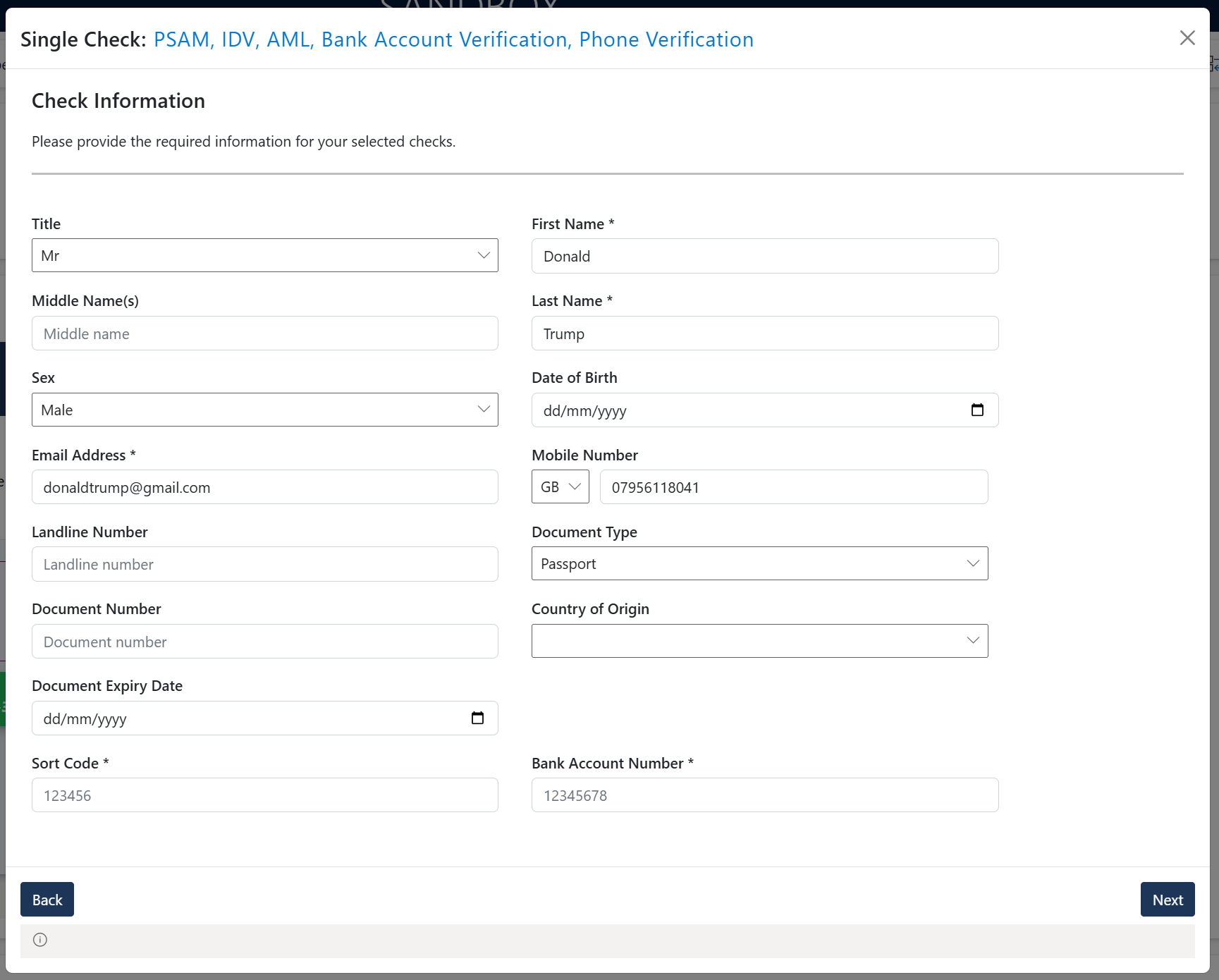
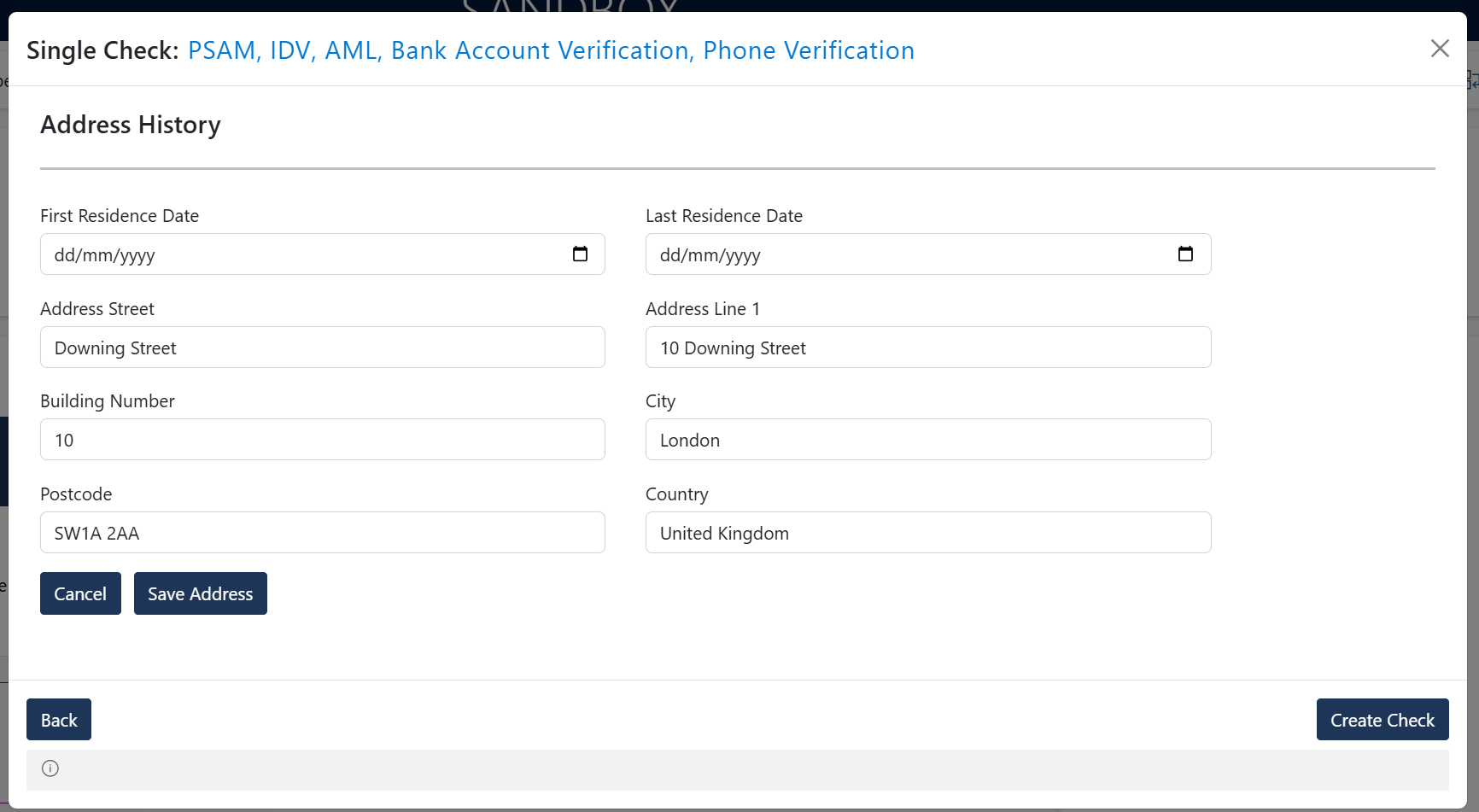
Button: Save Contact Details - Updates contact record.
Button: Confirm - Create a new Digital ID Verification (IDV) and Anti-Money Laundering (AML) check.
Button: Cancel – Cancel new check.
DIGITAL IDV & AML REPORTS
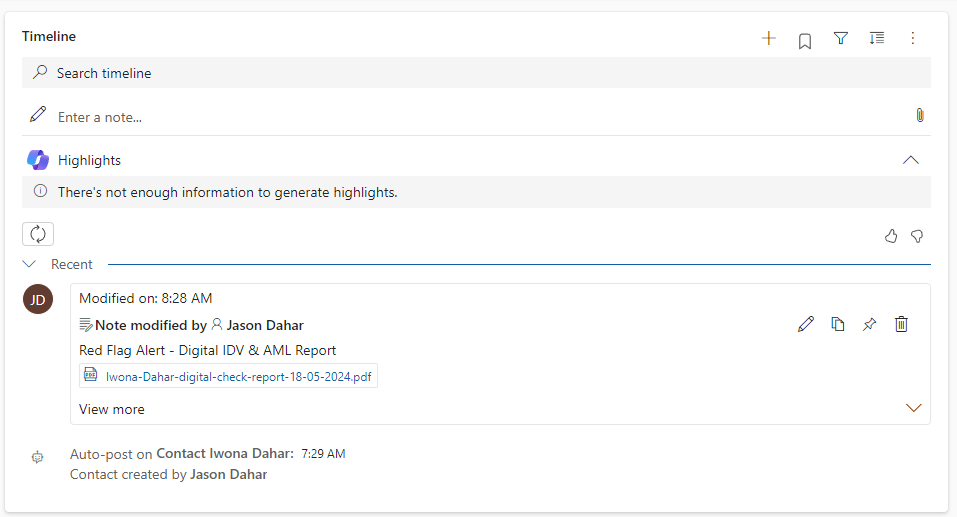
When a check has been completed, a note will be generated with the check report attached to the contact record.
TECHNICAL DETAILS
MODULE: Contacts
DYNAMICS 365 AML SERVER
Schedule: Runs every hour, Monday to Friday, between 8:00 AM and 6:00 PM.
Functionality: Automatically scans Dynamics 365 contact records for any outstanding AML digital checks.
Once a check is completed:
- Updates the AML status and results on the contact record.
- Creates a note with the attached PDF document of the completed check.
- Sends a Dynamics 365 notification to alert users.
An access token will be required for the Red Flag Alert AML server, please see Activate – Monthly Accounts Refresh.
Before you install
Have you read the user guide and installation instructions for this app?
Please make sure you've reviewed them before installing.